Many homeowners rely on wireless keypads for convenient, secure access to their garages. But when these devices suddenly stop working or behave unpredictably, frustration can quickly set in. Garage door keypad interference problems are a common source of these issues, often leaving users locked out or forced to use manual overrides. Understanding what causes these disruptions—and how to address them—can save time, money, and hassle.
This article breaks down the most frequent sources of interference, practical troubleshooting steps, and preventative measures. Whether you’re dealing with a keypad that won’t respond or intermittent failures, the following guidance will help you restore reliable operation and minimize future disruptions.
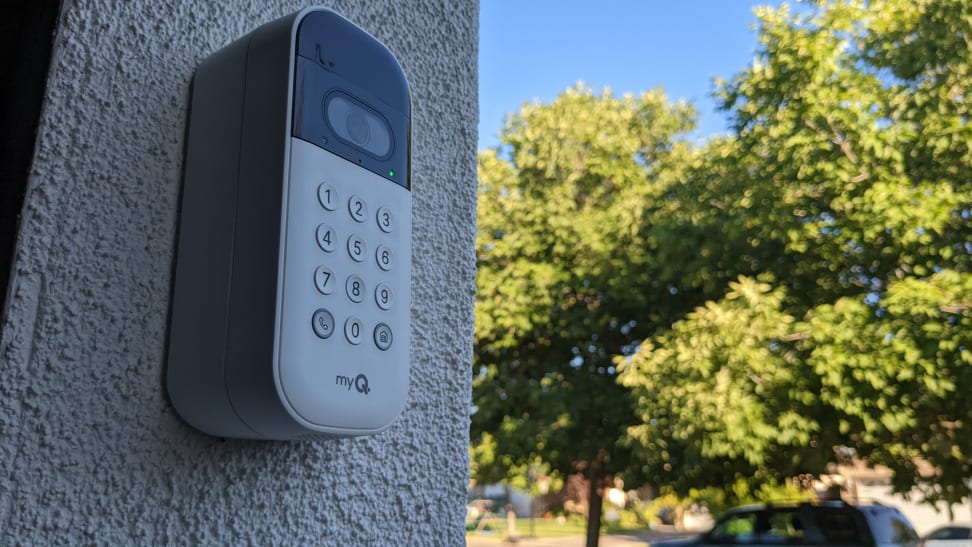
If you’re also experiencing a garage door keypad not responding, you’ll find additional troubleshooting tips in our related guide.
Understanding Wireless Keypad Signal Disruptions
Wireless keypads operate by transmitting a radio frequency (RF) signal to your garage door opener. When interference occurs, the signal may not reach the opener or may arrive distorted, causing the system to ignore valid entry codes. Recognizing the symptoms of keypad interference is the first step toward a solution.
- Keypad lights up but does not activate the door
- Intermittent operation—sometimes works, sometimes doesn’t
- Long delays between code entry and door movement
- Keypad works only when standing very close to the opener
Main Causes of Garage Keypad Interference
Several factors can disrupt the communication between your keypad and opener. Here are the most common culprits:
Nearby Electronic Devices
Many household electronics emit RF signals that can overlap with your keypad’s frequency. Cordless phones, Wi-Fi routers, baby monitors, and even some LED lighting systems are known to cause garage door keypad interference problems. If you recently installed or moved any such devices, consider their proximity to your garage.
Physical Obstacles and Building Materials
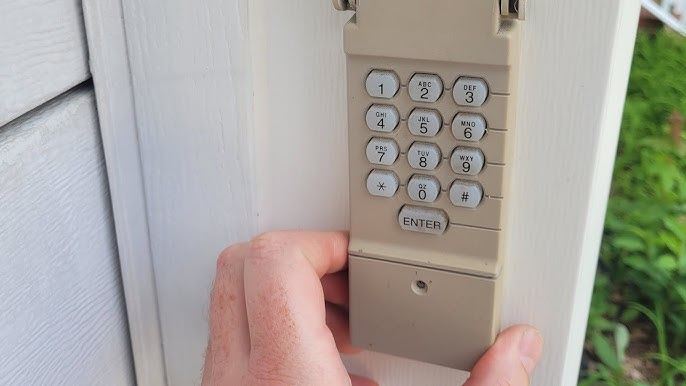
Metal doors, reinforced concrete, and dense walls can block or weaken wireless signals. If your keypad is mounted on a metal surface or behind thick masonry, the signal may not reach the opener reliably. Relocating the keypad or installing a signal repeater can sometimes resolve these issues.
Weather and Environmental Factors
Humidity, rain, or extreme temperatures can affect both the keypad and the opener. Moisture can seep into the keypad’s electronics, while cold weather may reduce battery performance. Regular maintenance and weatherproofing help prevent these environmental disruptions.
Battery and Power Issues
Weak or corroded batteries can cause unreliable keypad performance. Even if the keypad lights up, insufficient voltage may prevent it from sending a strong enough signal. Always use fresh, high-quality batteries and check for corrosion on the terminals.
Signal Overlap from Other Garage Doors
In neighborhoods with many automatic garage doors, overlapping frequencies can cause cross-talk or interference. This is especially true for older models that use fixed codes. Modern openers with rolling code technology are less susceptible, but not immune.
How to Troubleshoot Wireless Keypad Interference
If your keypad is acting up, a systematic approach can help pinpoint and resolve the issue. Here’s what to try:
- Replace the Batteries: Even if the keypad appears to have power, swap in new batteries to rule out weak voltage as a cause.
- Check for Nearby Electronics: Temporarily unplug or move devices like routers, baby monitors, or cordless phones to see if performance improves.
- Inspect for Physical Barriers: If possible, relocate the keypad away from metal surfaces or thick walls. Sometimes just moving it a few inches can help.
- Reprogram the Keypad: Resetting and re-syncing the keypad with the opener can resolve code mismatches or signal confusion.
- Look for Environmental Damage: Open the keypad and check for moisture, dirt, or corrosion. Clean and dry as needed.
- Test at Different Distances: Try operating the keypad from various spots to identify dead zones or weak signal areas.
For more detailed troubleshooting steps, see this resource on why your garage door keypad might not be working.
Preventing Future Keypad Interference
Once you’ve resolved the immediate issue, a few preventative steps can help keep your system running smoothly:
- Use Rolling Code Technology: Upgrade to a modern opener and keypad that use rolling codes, which are far less prone to signal overlap.
- Install Away from Electronics: Place your keypad and opener receiver as far as possible from Wi-Fi routers and other RF-emitting devices.
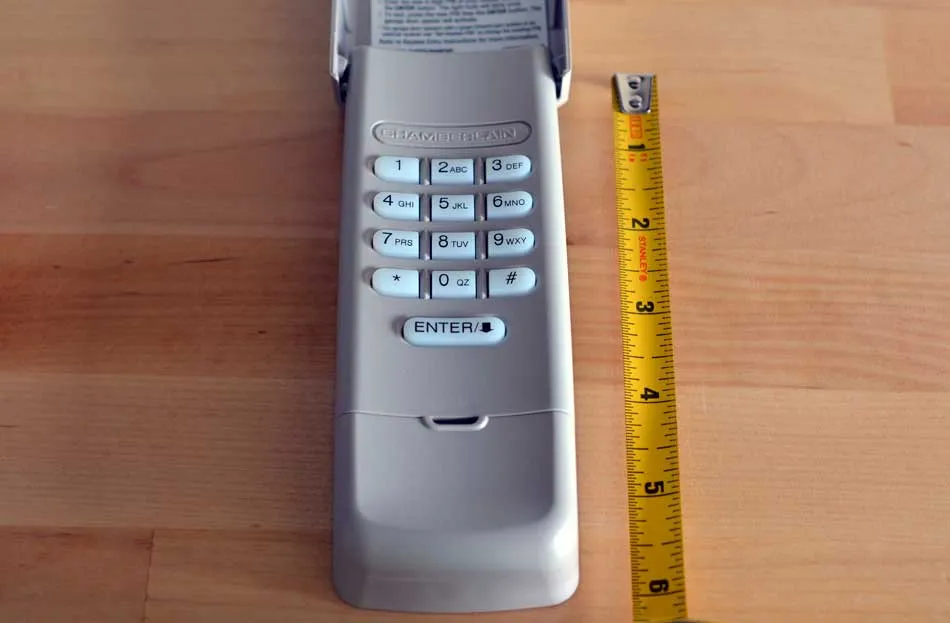
- Regular Maintenance: Clean the keypad, check batteries, and inspect for environmental damage at least twice a year.
- Weatherproofing: Use a protective cover or weather-resistant keypad to minimize moisture and temperature effects.
For a deeper understanding of how these devices work and their benefits, explore our guide on what is a garage door keypad.
When to Seek Professional Help
If you’ve tried all the above steps and still experience persistent issues, it may be time to consult a garage door technician. Persistent or complex garage keypad interference can sometimes indicate a failing receiver, wiring problems, or advanced RF conflicts that require specialized equipment to diagnose.
Professional service is also recommended if your keypad is part of a larger home automation or security system, as improper adjustments can affect other devices.
FAQ
Can LED lights cause problems with my garage keypad?
Yes, some LED bulbs emit radio frequencies that can interfere with wireless garage keypads and openers, especially if the bulbs are installed near the receiver or keypad. Switching to garage-rated LED bulbs or moving the lights further away can help.
How do I know if my keypad issue is interference or a hardware problem?
If your keypad works intermittently, only at close range, or after moving nearby electronics, interference is likely. If it never works, even after replacing batteries and reprogramming, the keypad or receiver may be faulty.
Is it possible to change the frequency of my garage keypad?
Most residential keypads have fixed frequencies set by the manufacturer. However, upgrading to a newer model with rolling code technology can reduce interference and improve security.
For more on repairs and troubleshooting, see our article on garage door keypad repair explained.