When your garage door keypad display is not lighting up, it can be both inconvenient and concerning. The keypad is a crucial part of your garage access system, allowing for secure entry without a remote or key. If the display remains dark, it’s often a sign of an underlying issue that needs attention. Understanding the possible causes and solutions can help you restore functionality quickly and avoid unnecessary frustration.
In this article, we’ll break down the most common reasons a garage door keypad screen stays dark, how to diagnose the problem, and what steps you can take to fix it. We’ll also cover when it might be time to consider a replacement and provide resources for further troubleshooting. For a deeper dive into related electrical issues, you can also check out our guide on garage door keypad power issues.
Common Reasons for a Non-Responsive Garage Keypad Display
A dark or unresponsive keypad screen is usually caused by one of several factors. Identifying the root cause is the first step toward restoring your keypad’s functionality. Here are the most frequent culprits:
- Dead or Weak Batteries: Most wireless keypads rely on batteries. If the batteries are depleted or installed incorrectly, the display won’t light up.
- Worn Out Backlight: Some models have a backlight that can fail over time, making the display hard to see, especially in low light.
- Electrical Contact Issues: Corrosion or dirt on the battery terminals or internal contacts can interrupt power flow.
- Weather Damage: Exposure to rain, snow, or extreme temperatures can damage the keypad’s internal components.
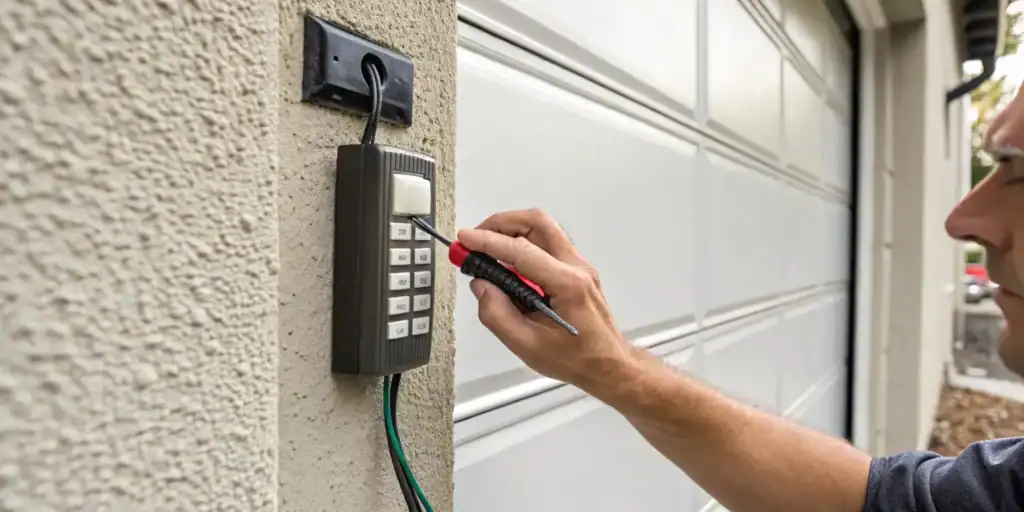
- Internal Circuit Failure: Less commonly, a malfunction in the circuit board or wiring can cause the display to stop working entirely.
If you’re experiencing additional symptoms, such as the keypad not responding to button presses or erratic behavior, you might also want to read about garage door keypad backlight not working for more targeted troubleshooting.
How to Troubleshoot a Garage Door Keypad Screen That Stays Dark
Before replacing your keypad, it’s worth trying a few straightforward troubleshooting steps. Here’s a practical approach to diagnosing the issue:
-
Check and Replace the Batteries:
- Open the keypad’s battery compartment and inspect the batteries.
- Replace old batteries with fresh ones, ensuring correct polarity.
- After installing new batteries, press a button to see if the display lights up.
-
Inspect for Corrosion or Dirt:
- Look for white, green, or brown residue on the battery terminals.
- Clean contacts gently with a cotton swab and a small amount of rubbing alcohol.
- Let everything dry before reinserting batteries.
-
Test the Keypad in Different Lighting:
- Some displays are visible only in low light due to a weak backlight.
- Try using the keypad at night or in a shaded area to check for faint illumination.
-
Reset the Keypad:
- Consult your keypad’s manual for reset instructions.
- Resetting can sometimes resolve minor glitches or software errors.
-
Check for Physical Damage:
- Inspect the keypad housing for cracks, water ingress, or other visible damage.
- If you see signs of weather exposure, internal components may be compromised.
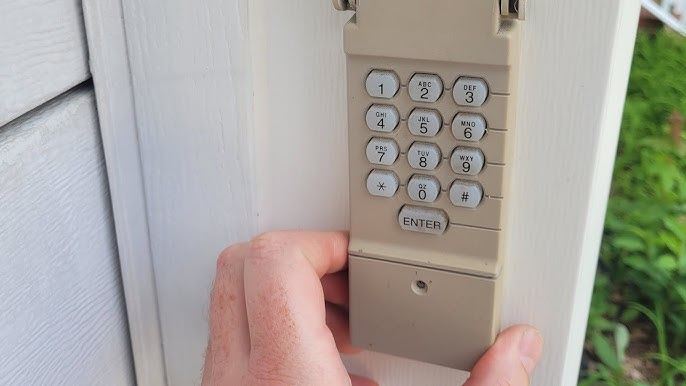
When to Replace Your Garage Door Keypad
If you’ve tried all troubleshooting steps and the keypad display remains dark, it may be time for a replacement. Keypads exposed to harsh weather or those that have been in use for many years are more likely to experience permanent failure. Signs that indicate replacement is necessary include:
- No response after battery replacement and cleaning
- Visible water damage or severe corrosion
- Cracked or broken housing
- Repeated malfunctions or intermittent operation
For more guidance on determining if it’s time for a new unit, see our article on when to replace garage door keypad.

Preventing Future Keypad Display Issues
Regular maintenance can help extend the life of your keypad and reduce the chances of display problems. Here are some practical tips:
- Replace batteries annually or at the first sign of dimming or slow response.
- Clean the battery contacts and keypad surface periodically to prevent corrosion and debris buildup.
- Install a weather cover or shield to protect the keypad from rain, snow, and direct sunlight.
- Inspect for cracks or damage after severe weather events and address any issues promptly.
- Follow manufacturer’s care instructions for your specific keypad model.
If you suspect that corrosion is affecting your keypad’s performance, our resource on garage door keypad contact corrosion offers detailed cleaning and prevention advice.
Additional Resources for Troubleshooting
Sometimes, the problem may be more complex than a simple battery or contact issue. If you’ve exhausted the steps above, you might find it helpful to consult a professional or explore more in-depth troubleshooting guides. For a comprehensive overview of common keypad malfunctions, check out this detailed guide on garage door keypad issues.
If you’re considering a replacement, it’s also useful to understand the costs involved. Our article on garage door keypad replacement cost can help you plan your next steps.
Frequently Asked Questions
Why does my garage door keypad display stay dark even after changing the batteries?
If the display remains unlit after installing new batteries, possible causes include corroded contacts, a failed backlight, or internal circuit damage. Try cleaning the terminals and checking for physical damage. If the issue persists, the keypad may need to be replaced.
Can weather affect my garage door keypad’s display?
Yes, exposure to moisture, extreme cold, or heat can damage the internal electronics or cause corrosion, leading to display and functionality issues. Using a weather cover can help protect your keypad from the elements.
Is it possible to repair a garage door keypad with a non-working display?
Minor issues like dirty contacts or weak batteries can often be fixed at home. However, if the display or circuit board is damaged, repairs are usually not cost-effective compared to replacing the unit.