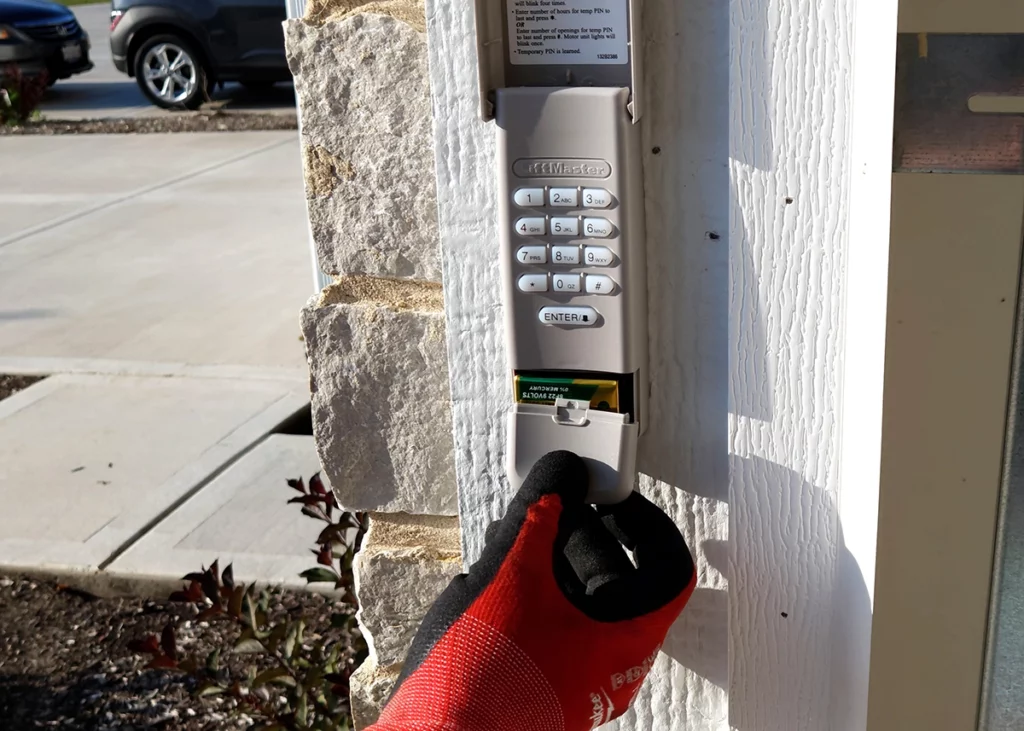
Forgetting the code to your garage door keypad can be a frustrating experience, especially when you need quick access or want to update your security settings. Fortunately, resolving this issue is usually straightforward if you follow the right steps. This guide covers practical solutions for regaining control of your keypad, understanding why codes are forgotten, and preventing future lockouts. Whether you have a LiftMaster, Chamberlain, Genie, or another brand, the process is similar for most modern keypads.
For those dealing with related garage door issues, such as sensor problems, you might also find it helpful to review how to fix garage door sensor mounting on metal studs for additional troubleshooting tips.
Common Reasons for Forgetting Garage Door Keypad Codes
Before diving into solutions, it’s helpful to understand why keypad codes are often forgotten. Some of the most frequent causes include:
- Infrequent use of the keypad, leading to memory lapses
- Recent code changes that were not recorded or shared with all users
- Multiple users with different codes or confusion over which code is active
- Inherited keypads from previous homeowners with unknown codes
These scenarios are common, and most manufacturers design their systems to allow for easy resets and reprogramming, even if the original code is lost.
Step-by-Step Solutions for a Lost Garage Door Keypad Code
If you can’t remember your keypad code, don’t worry—there are several reliable methods to regain access. The following steps outline the most effective approach for a garage door keypad forgotten code fix:
1. Locate the Garage Door Opener’s Learn Button
Most modern garage door openers have a “Learn” button on the motor unit, typically found on the back or side. This button is essential for resetting and reprogramming your keypad.
- Unplug the opener for safety if you need to access hard-to-reach areas.
- Look for a colored button labeled “Learn” or “Program.” The color may vary by brand (yellow, purple, red, or green).
2. Clear the Old Keypad Code
To remove the forgotten code, press and hold the Learn button for about 6–10 seconds until the indicator light turns off. This action erases all remote and keypad codes from the opener’s memory.
- Be aware that this will disconnect all remotes and keypads, so you’ll need to reprogram them.
- Consult your opener’s manual for specific instructions if the Learn button behaves differently.

3. Reprogram the Keypad with a New Code
After clearing the old codes, you can set a new code for your keypad:
- Press the Learn button on the opener once (do not hold).
- Within 30 seconds, enter your chosen 4-digit code on the keypad.
- Press the Enter or Send button on the keypad. The opener’s light should blink or click, indicating successful programming.
Test the new code to ensure it operates the garage door. If it doesn’t work, repeat the steps, making sure to enter the code within the time window.
4. Reconnect Remote Controls
Since clearing the memory also removes remote controls, you’ll need to reprogram them. This usually involves pressing the Learn button and then pressing the button on the remote you wish to pair.
Alternative Methods for Resetting Without the Old Code
Some keypads allow for a reset without accessing the opener’s Learn button, especially on newer wireless models. Check your keypad’s manual for brand-specific instructions. For example, some Genie and Chamberlain keypads have a reset button or a unique sequence for reprogramming.
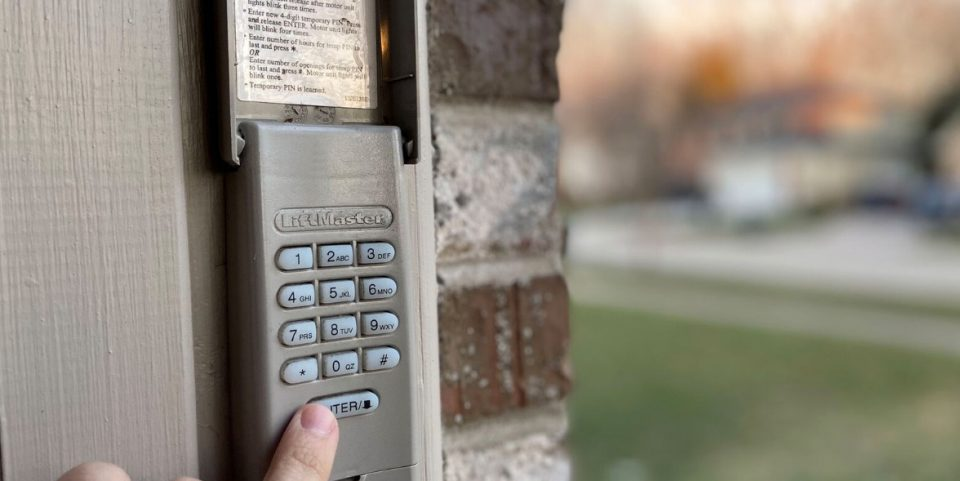
If you’re unable to reset the keypad or the Learn button is inaccessible, consider contacting the manufacturer or a professional technician for assistance. Sometimes, replacing the keypad is the most efficient solution, especially for older or malfunctioning units.
Preventing Future Keypad Code Issues
To avoid the hassle of forgetting your garage door access code again, consider these best practices:
- Choose a memorable but secure code that’s easy for you to recall but hard for others to guess.
- Write down the code and store it in a secure location, such as a password manager or a locked drawer.
- Share the code only with trusted household members.
- Update the code periodically and keep a record of changes.
- Test the keypad every few months to ensure it’s functioning correctly.
For more troubleshooting tips on related garage door technology, you may want to check out how to fix garage door sensor wiring using electrical tape for guidance on sensor issues.
When to Replace Your Garage Door Keypad
If your keypad is unresponsive, damaged, or frequently malfunctions even after resetting, it may be time for a replacement. Modern keypads offer improved security features, backlit keys, and wireless connectivity. Upgrading can enhance both convenience and safety.
When shopping for a new unit, ensure compatibility with your garage door opener. Many universal keypads are available, but always check the manufacturer’s recommendations.
Additional Troubleshooting Resources
If you encounter persistent problems, such as the keypad not responding after programming or the door not opening, consider these steps:
- Check battery levels in the keypad and replace if necessary.
- Inspect for physical damage or worn-out buttons.
- Ensure the keypad is within range of the opener and free of interference.
- Review the opener’s manual for brand-specific troubleshooting steps.
For more in-depth guidance, you can consult resources like what to do when your garage door keypad is not working for expert advice and troubleshooting checklists.
Frequently Asked Questions
How do I reset my garage door keypad if I forgot the code?
Most keypads can be reset by pressing and holding the Learn button on the garage door opener until the indicator light turns off. This erases all codes, allowing you to reprogram the keypad with a new code. Refer to your opener’s manual for brand-specific instructions.
Will resetting the keypad erase my remote controls?
Yes, clearing the opener’s memory using the Learn button will disconnect all paired devices, including remote controls. You’ll need to reprogram each remote after resetting the keypad.
What should I do if my keypad still doesn’t work after reprogramming?
If the keypad remains unresponsive, check the battery, ensure the keypad is within range, and verify there’s no physical damage. If issues persist, consider replacing the keypad or seeking professional assistance.
Can I program a new code without the old one?
Yes, most systems allow you to set a new code without knowing the old one by using the Learn button on the opener. Some keypads also have a reset function or a specific programming sequence detailed in the manual.
How can I keep my garage door keypad code secure?
Choose a code that’s not easily guessed, avoid sharing it widely, and change it periodically. Store the code securely and update it if you suspect it’s been compromised.