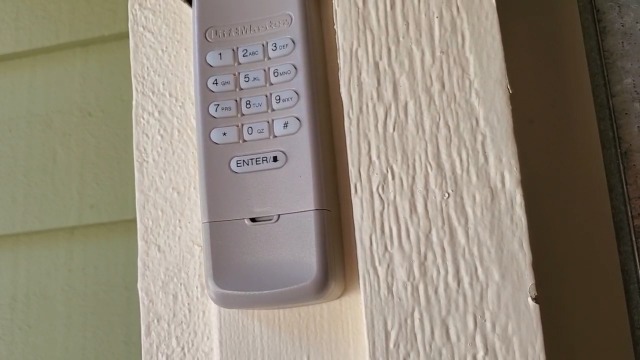
A wireless keypad is a convenient way to access your garage without a remote or key. Over time, you may need to reset or reprogram your keypad—whether you’ve moved into a new home, want to update your security, or are troubleshooting entry issues. Understanding the correct garage door keypad reprogramming steps ensures your system remains secure and functional.
This article provides a clear, step-by-step guide to updating your keypad code, along with tips for common brands and troubleshooting advice. If you’re also interested in related maintenance, such as how to check garage door sensor voltage, you’ll find helpful resources linked throughout.
Why You Might Need to Reset Your Garage Door Keypad
There are several reasons to update your keypad code or reprogram the device:
- Security concerns: After moving in or giving out your code, it’s wise to change it.
- Malfunctioning keypad: If the keypad stops working or responds inconsistently, reprogramming can resolve issues.
- Lost or forgotten code: Resetting allows you to regain access without replacing hardware.
- Adding new users: Some systems let you program multiple codes for family or service providers.
Before starting, make sure you know your opener’s brand and model. Most keypads are compatible with LiftMaster, Chamberlain, Craftsman, Genie, or similar systems, but steps may vary slightly.
Essential Tools and Preparation for Keypad Programming
To complete the garage door keypad reprogramming steps, gather the following:
- Access to your garage door opener motor unit (usually on the ceiling)
- A sturdy ladder (if needed for reaching the opener)
- Your keypad and any relevant manuals
- Fresh batteries for the keypad, if applicable
Always ensure your keypad is clean and the buttons are not sticking. If your keypad is exposed to sunlight or moisture, consider reviewing how to install garage door sensor sun shields for tips on protecting sensitive electronics.
Step-by-Step Guide: How to Reprogram a Garage Door Keypad
The following instructions cover the most common process for updating your keypad code. Always consult your manufacturer’s manual for model-specific details.
-
Locate the “Learn” Button:
On most openers, the “Learn” button is found on the back or side of the motor unit. It may be labeled as “Learn,” “Program,” or display a colored LED (often yellow, red, or purple).
-
Clear the Old Code (if necessary):
Some systems require you to erase previous codes before entering a new one. Hold the “Learn” button for 6–10 seconds until the LED turns off. This removes all remote and keypad codes from memory.
-
Initiate Programming Mode:
Press and release the “Learn” button. The indicator light will turn on or blink, signaling it’s ready to accept a new code.
-
Enter Your New Code:
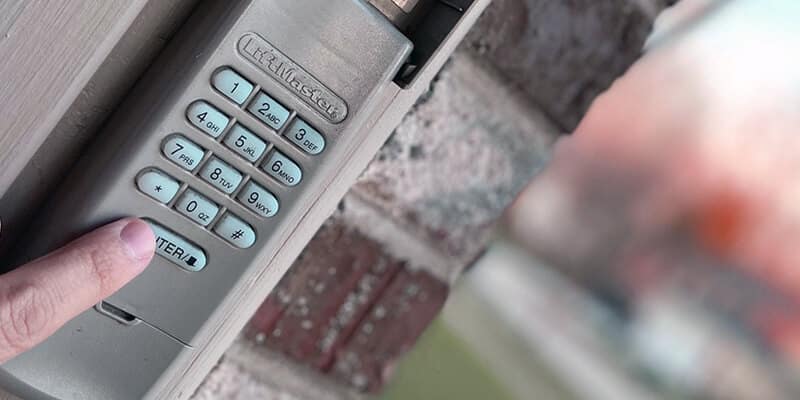
Within 30 seconds, go to your keypad and enter the desired 4-digit code, then press the “Enter” or “Send” button. The opener’s light should blink or you may hear a click, confirming successful programming.
-
Test the Keypad:
Wait a few seconds, then enter your new code again to ensure the door opens or closes as expected.
Brand-Specific Programming Tips
While the general process is similar, some brands have unique steps or button sequences. Here are a few pointers:
- LiftMaster, Chamberlain, Craftsman: These brands typically use a “Learn” button on the opener. Some newer models support temporary PINs for guests.
- Genie: Genie keypads may require you to press “Program” or “Set” before entering the code. Look for a blinking LED to confirm programming mode.
- Older Models: Some older openers use DIP switches instead of a “Learn” button. Match the switches on the keypad to those on the opener.
If you’re shopping for a new system, check out this expert roundup of the best garage door openers for the latest features and compatibility.
Troubleshooting Common Keypad Programming Issues
If your keypad isn’t responding after following the garage door keypad reprogramming steps, try these troubleshooting tips:
- Check the batteries: Weak or dead batteries are a frequent cause of keypad failure.
- Re-enter the code: Ensure you’re entering the new code within the required time window after pressing the “Learn” button.
- Inspect wiring and buttons: Dirt, corrosion, or stuck buttons can prevent successful programming.
- Reset the opener: Unplug the opener for 30 seconds and try again.
- Consult the manual: Some models have unique steps or require a factory reset.
If you notice sensor issues or inconsistent door movement, you may also want to investigate why is my garage door sensor yellow for further troubleshooting.
How to Keep Your Garage Keypad Secure
Once you’ve completed the programming process, take a few extra steps to maximize security:
- Choose a unique code: Avoid easy-to-guess combinations like “1234” or your address.
- Change your code regularly: Update your PIN every few months, especially if you’ve shared it with others.
- Limit code sharing: Only give your code to trusted individuals and delete temporary codes when no longer needed.
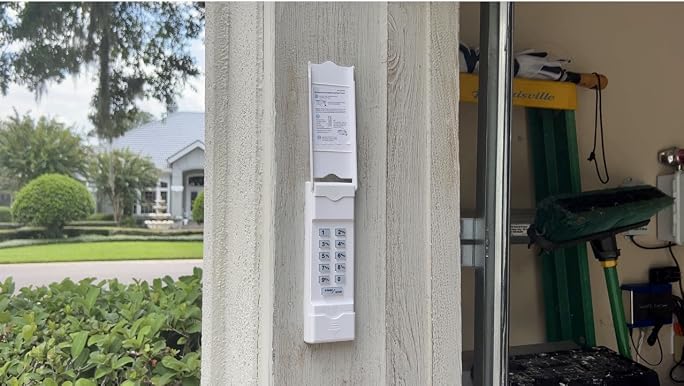
- Protect the keypad: Install it in a discreet location and shield it from direct weather exposure.
For additional safety, review tips on how to fix garage door sensor moisture problems to prevent environmental damage to your keypad or opener.
Frequently Asked Questions
Can I program a new keypad without the old code?
Yes, most systems allow you to program a new code without knowing the previous one. You’ll need access to the opener’s “Learn” button. Erasing all codes and starting fresh is often the best approach if you’ve lost or forgotten the old PIN.
What should I do if my keypad still doesn’t work after reprogramming?
Double-check the batteries and ensure you followed the correct sequence for your opener model. If issues persist, inspect for physical damage or worn-out buttons. In rare cases, the keypad itself may need replacement.
How often should I update my garage keypad code?
For optimal security, update your code every 3–6 months or whenever you suspect someone unauthorized may know it. Always reset the code after moving into a new home or after giving temporary access to service providers.
Can I use the same keypad code for multiple garage doors?
Some advanced keypads and openers support multi-door programming, allowing you to control more than one door with a single keypad. Refer to your manufacturer’s manual for compatibility and setup instructions.
Conclusion
Mastering the garage door keypad reprogramming steps helps keep your home secure and your entry system reliable. Whether you’re updating your code for security, troubleshooting a malfunction, or setting up a new keypad, following these clear instructions ensures a smooth process. For more garage door maintenance tips, explore related guides on sensor voltage, sun shields, and opener troubleshooting throughout this site.