Modern garage door keypads have become more advanced, offering not just secure entry but also helpful feedback through sound alerts. These audible signals play a crucial role in daily use, providing confirmation, warnings, and troubleshooting cues. Understanding what each beep or tone means can help you maintain your keypad, enhance security, and avoid unnecessary service calls.
Homeowners often encounter different sounds from their keypads, and knowing their significance can make a big difference in both convenience and safety. This article breaks down the most common types of sound notifications, their purposes, and what actions you might need to take in response. If you’re also experiencing issues such as garage door keypad power issues, it’s important to address those alongside understanding sound alerts.
Understanding Audible Feedback on Garage Keypads
Garage keypads use sound alerts to communicate with users in real time. These tones can indicate successful code entry, errors, low battery, or other important statuses. Recognizing these signals helps you respond quickly and keep your system running smoothly.
- Confirmation beeps: A short, single beep usually means a code was entered correctly or a button was pressed.
- Error tones: Multiple rapid beeps or a long beep often signal an incorrect code or malfunction.
- Warning alerts: Repeated beeping may indicate low battery, tampering, or connectivity issues.
These sounds are intentionally distinct so you can easily tell them apart, even in low-light or noisy environments.
Common Types of Garage Door Keypad Sound Alerts
The most frequent sound notifications you’ll hear from a garage keypad fall into a few categories. Each serves a specific purpose, from confirming actions to alerting you to problems.
Entry Confirmation and Success Tones
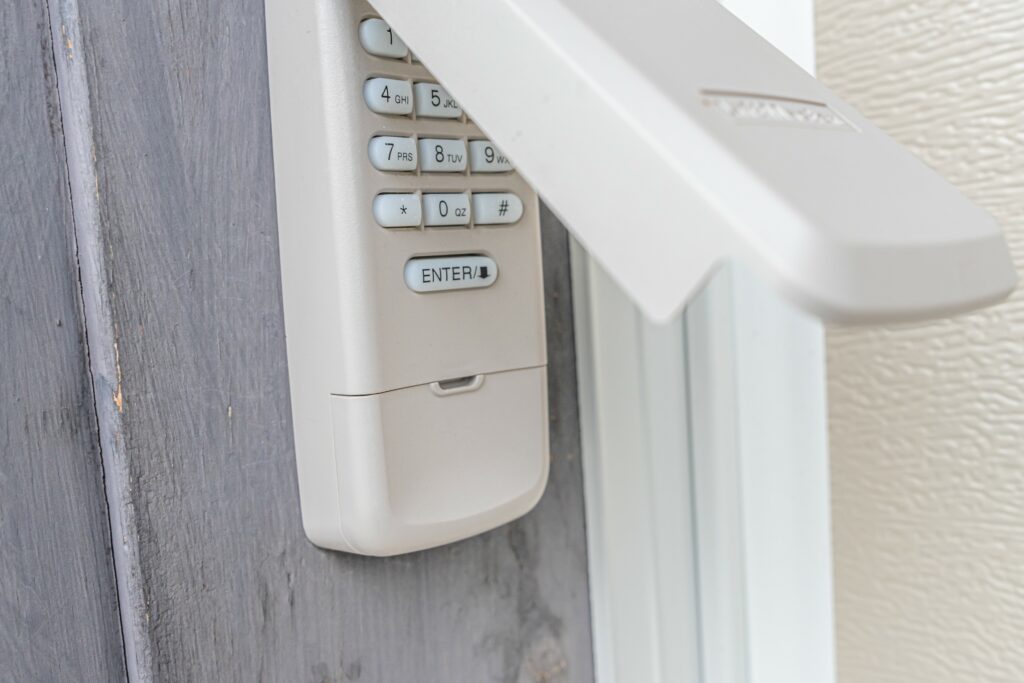
When you enter your access code and press the “Enter” button, a short beep typically signals that the code was accepted and the door will open or close. This feedback reassures you that the keypad is functioning and your input was received.
Error and Warning Beeps
If you hear a series of quick beeps or a single long tone, it usually means the code was incorrect or there’s a problem with the keypad. Some models will lock out after several failed attempts, emitting a distinct sound to let you know.
For persistent issues, such as when the keypad doesn’t respond or emits unusual sounds, you might want to check for garage door keypad contact corrosion or other hardware problems.
Low Battery and Maintenance Alerts
Many wireless keypads emit a repeated beep or a specific pattern when the battery is running low. This warning gives you time to replace the batteries before the keypad stops working entirely. Ignoring these alerts can leave you locked out or force you to use manual entry methods.
How to Respond to Keypad Sound Notifications
When your garage keypad emits a sound, it’s important to interpret it correctly and take the right steps. Here’s how to handle the most common alerts:
- Single beep after code entry: The code is correct; the door should operate as expected.
- Multiple rapid beeps: Double-check the code and try again. If the issue persists, consult your keypad’s manual or reset the device.
- Repeated warning tones: Replace the batteries or inspect for visible damage. If you suspect internal issues, consider professional service.
If your keypad is not producing any sounds, it could be a sign of garage door keypad backlight not working or a related electrical problem.
Benefits of Sound Alerts for Garage Security
Audible feedback isn’t just about convenience—it’s also a security feature. These alerts can warn you about tampering, failed entry attempts, or technical malfunctions. Some advanced models even have unique tones for forced entry or system errors, helping you act quickly if there’s a security concern.
Regularly listening for and understanding these sounds can help you spot issues before they become serious. If you notice unfamiliar alerts or persistent errors, it may be time to consider when to replace your garage door keypad.
Tips for Troubleshooting and Maintenance
To keep your keypad working reliably, follow these simple maintenance steps:
- Replace batteries promptly: Don’t ignore low battery alerts. Always use the recommended battery type.
- Clean the keypad regularly: Dirt and debris can affect both the buttons and the sound mechanism.
- Inspect for corrosion: If you hear irregular sounds or the keypad is unresponsive, check for contact corrosion.
- Consult the manual: Each model may have unique sound patterns. Refer to the manufacturer’s guide for specifics.
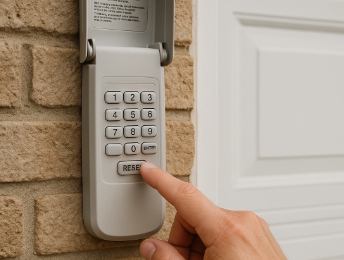
- Reset if needed: If the keypad continues to beep or malfunction, try resetting it according to the instructions.
For a comprehensive overview of keypad features, including sound alerts, you can explore the ultimate guide to garage door keypads.
FAQ
What does a continuous beep from my garage keypad mean?
A continuous beep often signals a low battery or a system error. Check your battery first, and if the sound continues after replacement, refer to your manual or contact a professional.
Why does my keypad beep multiple times after entering a code?
Multiple beeps usually indicate an incorrect code or a locked keypad due to too many failed attempts. Wait a few minutes and try again, or reset the keypad if necessary.
Can I disable the sound alerts on my garage keypad?
Some models allow you to adjust or mute sound notifications through the settings or by following specific instructions in the user manual. However, it’s generally recommended to keep them enabled for security and troubleshooting purposes.
How do I know if my keypad needs to be replaced?
If your keypad frequently emits error tones, doesn’t respond, or shows signs of physical damage, it may be time for a replacement. For more details, see our guide on garage door keypad replacement cost.