If you’ve noticed that your garage door refuses to close unless you keep the wall button pressed, you’re not alone. This is a common issue for many homeowners and can be both inconvenient and concerning. Understanding the underlying causes is important for both safety and convenience, as this behavior is often a sign that something in your garage door system needs attention.
In this article, we’ll break down the most frequent reasons your garage door acts this way, how to troubleshoot the problem, and what steps you can take to restore normal operation. Along the way, you’ll find practical tips, relevant resources, and clear explanations to help you resolve the issue efficiently.
For a step-by-step approach to diagnosing sensor issues, see our guide on how to test garage door safety sensors. This resource can help you quickly determine if your sensors are the source of the problem.
Common Reasons Your Garage Door Won’t Close Automatically
When your garage door only closes if you hold the wall button, it’s usually a sign that the system’s safety features are preventing automatic operation. Here are the most frequent causes:
- Misaligned or Blocked Safety Sensors
- Faulty Sensor Wiring or Connections
- Dirty or Damaged Sensor Lenses
- Obstructions in the Door’s Path
- Malfunctioning Control Board or Logic Board
Let’s look at each of these in detail to help you identify and fix the root cause.
Understanding Garage Door Safety Sensors
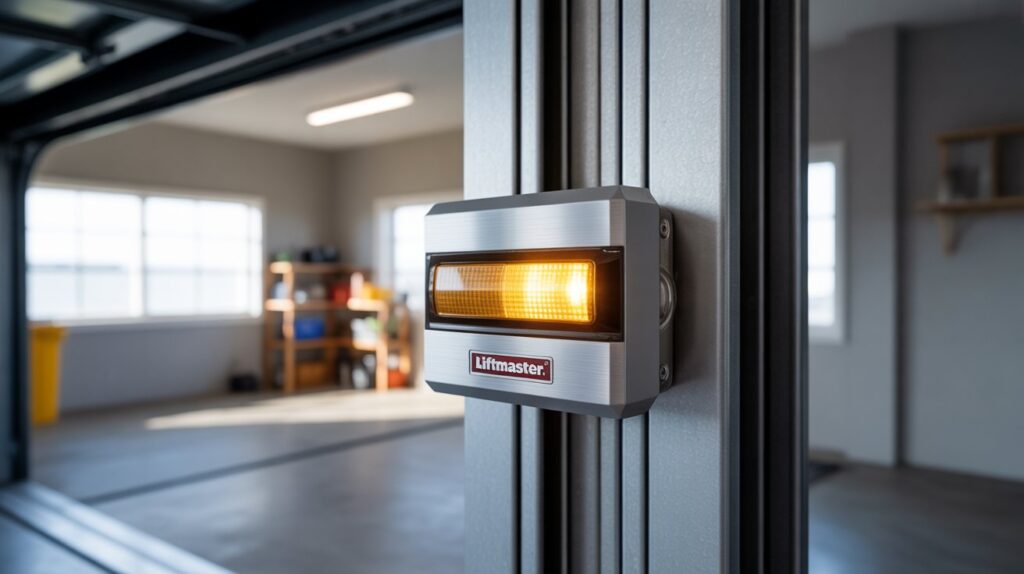
Modern garage doors are equipped with safety sensors—small devices mounted near the floor on either side of the door. These sensors send an invisible beam across the opening. If anything interrupts this beam, the door will not close automatically to prevent injury or damage.
If the sensors are misaligned, dirty, or malfunctioning, the opener interprets this as an obstruction and disables remote or automatic closing. However, pressing and holding the wall button overrides this safety feature, allowing you to close the door manually.
How to Check for Sensor Alignment and Obstructions
The most common reason for this issue is a problem with the safety sensors. Here’s how to check them:
- Inspect Sensor Alignment: Both sensors should face each other directly. If one is bumped or tilted, the beam can’t connect. Adjust them until both indicator lights are steady.
- Clear Away Debris: Remove any dirt, cobwebs, or objects near the sensors. Even small obstructions can break the beam.
- Clean the Lenses: Use a soft cloth to gently wipe the sensor lenses. Dust or smudges can interfere with the signal.
- Check for Sunlight Interference: In rare cases, direct sunlight can disrupt the sensor beam. Try shading the sensors temporarily to see if the problem resolves.
If you’re unsure about the wiring, our article on how to check garage door sensor wiring for damage provides a detailed walkthrough for inspecting connections and spotting potential issues.
What to Do If the Sensors Appear to Be Working
If both sensor lights are on and aligned, but the door still only closes when you hold the button, the issue may be with the wiring or the opener’s logic board. Here’s what to try next:
- Examine the Sensor Wires: Look for visible damage, loose connections, or corrosion at the terminals. Damaged wires can interrupt the signal.
- Test the Opener’s Logic Board: If all else fails, the opener’s control board may be malfunctioning. This is less common but can happen with age or after power surges.
- Check for Blinking Lights: Some openers have indicator lights that blink a specific pattern to signal sensor or wiring issues. Refer to your opener’s manual for troubleshooting codes.
For more on interpreting sensor lights, see our guide on what do the colors on garage door sensors mean.
Troubleshooting Tips for Persistent Problems
If you’ve checked alignment, cleaned the sensors, and inspected the wiring but the problem persists, consider these additional steps:
- Try Bypassing the Sensors Temporarily: For diagnostic purposes, you can bypass the sensors to see if the door closes normally. For safety and legal reasons, this should only be done briefly and never as a permanent fix. See our guide to bypass garage door sensors safely for instructions.
- Replace Faulty Sensors: If one or both sensors are not lighting up or won’t align, replacement may be necessary.
- Consult a Professional: If you’re unable to resolve the issue on your own, a garage door technician can diagnose and repair more complex problems.
Preventing Future Garage Door Sensor Issues
Regular maintenance can help you avoid sensor-related problems in the future. Here are a few tips:
- Clean the Sensors Monthly: Wipe the lenses with a soft, dry cloth to prevent dust buildup.
- Check Alignment After Bumps: If you or someone else accidentally bumps the sensors, realign them promptly.
- Inspect Wiring Annually: Look for signs of wear, corrosion, or rodent damage.
- Test the Safety System: Periodically test your sensors to ensure they’re working as intended. For a step-by-step process, refer to our article on how to test garage door safety sensors.
When to Replace Your Garage Door Sensors
If your sensors are old, damaged, or no longer functioning despite cleaning and realignment, replacement is often the best solution. New sensors are relatively inexpensive and can restore full automatic operation to your garage door. For reliable options, consider purchasing garage door sensor lights designed for your opener model.
For more advanced troubleshooting, you may also want to read this comprehensive guide to troubleshooting garage door sensor issues.
Frequently Asked Questions
Can I Bypass Garage Door Sensors Permanently?
Bypassing sensors permanently is not recommended and may violate safety codes. The sensors are designed to prevent accidents and injuries. If you need to bypass them for troubleshooting, do so temporarily and restore them as soon as possible. For safe procedures, see our guide to bypass garage door sensors safely.
Why Do My Garage Door Sensors Blink?
Blinking sensor lights usually indicate a problem such as misalignment, obstruction, or wiring issues. The blink pattern can help diagnose the specific fault. For more details, check out our article on how to fix garage door sensor blinking green.
How Do I Know If My Garage Door Sensor Wiring Is Damaged?
Signs of damaged wiring include intermittent operation, no sensor lights, or the need to hold the button for the door to close. Inspect the wires for visible wear, cuts, or corrosion. For a detailed inspection process, read our guide on how to check garage door sensor wiring for damage.