Garage door keypad FAQs are among the most searched topics for homeowners looking to enhance convenience and security. Whether you’re setting up a new system, troubleshooting issues, or simply curious about how these devices work, understanding the essentials can help you get the most out of your keypad. This article provides straightforward answers to the most common questions, from installation to maintenance and troubleshooting.
If you’re interested in deeper insights, such as garage door keypad safety precautions, you can find additional resources that cover best practices for keeping your property secure.
Understanding Wireless Garage Entry Keypads
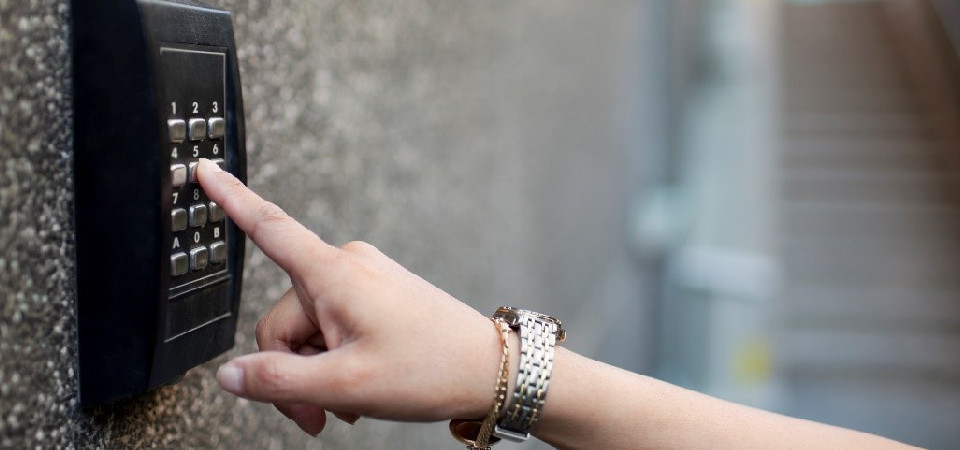
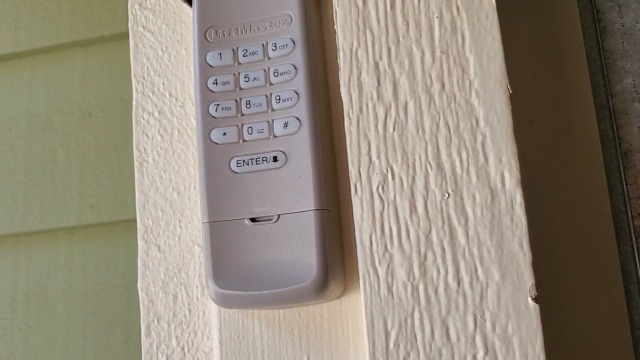
Wireless keypads for garage doors have become a standard feature in modern homes. They allow for secure, keyless entry by entering a personal identification number (PIN) on a weather-resistant pad mounted outside the garage. This eliminates the need for physical keys or remotes, offering both convenience and added security.
Most keypads are compatible with a wide range of garage door openers, but it’s important to check compatibility before purchasing or installing a new device. Many models offer features such as backlit buttons for nighttime use, temporary PINs for guests or service providers, and even integration with smart home systems.
Key Benefits of Using a Garage Door Keypad
- Convenience: No need to carry keys or remotes—just enter your code to open or close the garage.
- Security: Only those with the correct PIN can access your garage, and codes can be changed as needed.
- Access Control: Easily provide temporary codes for visitors, deliveries, or maintenance workers.
- Modern Features: Many keypads now offer advanced options, as detailed in guides like garage door keypad modern features explained.
Common Issues and Troubleshooting Tips
Even the most reliable keypads can experience occasional problems. Here are some of the most frequent concerns and how to address them:
- Keypad Not Responding: If the keypad doesn’t light up or respond, check the batteries first. Most models use standard AA or 9V batteries that are easy to replace.
- Code Not Working: Double-check that you’re entering the correct PIN. If you’ve recently changed the code, ensure the new one was programmed correctly.
- Intermittent Operation: Environmental factors like extreme cold or moisture can affect performance. Make sure the keypad is mounted securely and protected from the elements.
- Programming Errors: Follow the manufacturer’s instructions for resetting or reprogramming your device. If you’re still having trouble, consult resources on garage door keypad troubleshooting after installation for step-by-step help.
Programming and Reprogramming Your Entry Pad
Setting up or changing the code on your garage entry keypad typically involves a few simple steps:
- Locate the “Learn” or “Program” button on your garage door opener motor unit.
- Press the button until the indicator light turns on.
- Within 30 seconds, enter your desired PIN on the keypad and press the “Enter” or “Send” button.
- Wait for the garage door opener light to blink, confirming the new code is set.
For detailed instructions, always refer to your keypad’s user manual. If you’ve lost the manual, most manufacturers provide digital copies on their websites.
When to Consider Upgrading Your Keypad
If your current keypad is outdated, unreliable, or lacks modern features, it may be time to consider an upgrade. Newer models offer improved weather resistance, enhanced security, and integration with smart home systems. For a comprehensive overview of available options, see garage door keypad upgrade options.
Addressing Myths and Misconceptions
There are several misconceptions about wireless entry pads, including concerns about security and reliability. For example, some believe that all keypads are easy to hack or that they fail in bad weather. In reality, most modern devices use rolling codes and are built to withstand outdoor conditions. For more on this topic, review garage door keypad myths explained.
Garage Door Keypad FAQs: Your Questions Answered
How do I reset my garage keypad if I forget the code?
Most systems allow you to reset the code by pressing the “Learn” button on the opener unit and then entering a new PIN on the keypad. If you’re unable to reset it, consult your manufacturer’s instructions or seek professional assistance.
Can I install a keypad myself, or do I need a professional?
Many homeowners can install a keypad with basic tools and by following the included instructions. However, if you’re unsure or run into difficulties, hiring a professional ensures proper setup and security.
Are wireless keypads secure?
Yes, most modern keypads use rolling code technology, which changes the code with every use to prevent unauthorized access. For added peace of mind, regularly update your PIN and avoid sharing it unnecessarily.
Maintenance and Care Tips
- Replace batteries annually or as soon as you notice reduced responsiveness.
- Clean the keypad with a soft, damp cloth to prevent dirt buildup.
- Check the mounting and weather seal periodically to ensure long-term reliability.
- Update your PIN regularly for enhanced security.
What to Do If Your Keypad Stops Working
If your keypad suddenly stops functioning, start by checking the batteries and cleaning the contacts. If the problem persists, reprogram the device according to the manufacturer’s instructions. For more advanced troubleshooting, you may want to consult a detailed guide on what to do if your garage door keypad is not working.
Conclusion: Making the Most of Your Garage Entry System
A well-maintained and properly programmed keypad adds both convenience and security to your home. By understanding how these devices work, knowing how to troubleshoot common issues, and staying informed about the latest features, you can ensure reliable access to your garage for years to come. For more tips and safety information, explore related resources on keypad safety and upgrades.