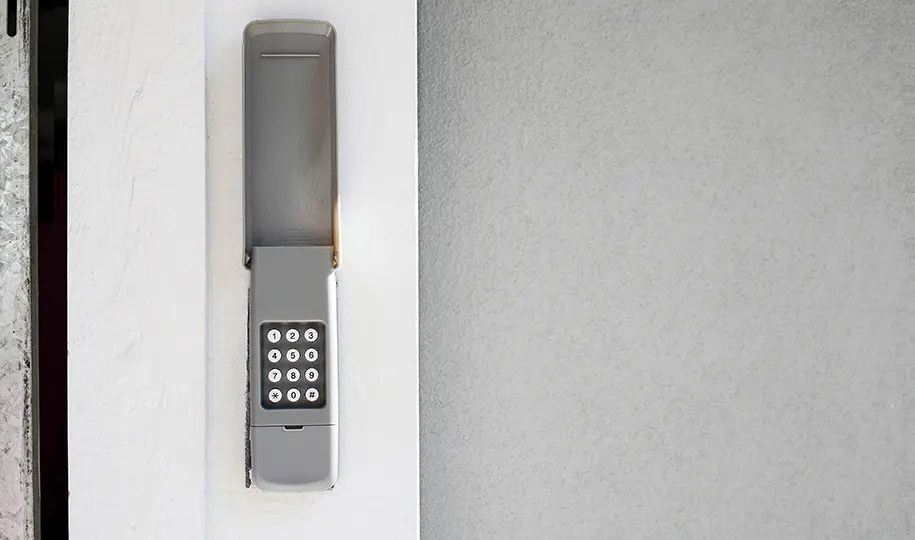
Getting locked out by your garage door keypad can be a frustrating experience, especially when you need quick access to your garage. Whether you’ve forgotten your code, the keypad isn’t responding, or you suspect a technical glitch, there are reliable steps you can take to regain control. This guide walks you through practical ways to reset your system and troubleshoot common keypad lockout issues, helping you restore entry and security with minimal hassle.
If you’re dealing with persistent keypad or sensor issues, you might also find it helpful to review related topics such as how to fix garage door sensor mounting on metal studs, which can impact overall door functionality.
Understanding Garage Door Keypad Lockouts
Garage door keypads provide convenient, secure access to your garage, but they can occasionally malfunction or become locked out. This can happen for several reasons:
- Entering the wrong code multiple times
- Dead or weak keypad batteries
- Signal interference or wiring issues
- Keypad or opener memory errors
- Physical damage or weather exposure
Recognizing the cause of your lockout is the first step toward an effective reset. In many cases, a simple reset process can restore your keypad’s functionality and allow you to set a new code.
How to Reset a Garage Door Keypad After Being Locked Out
If you’re unable to access your garage due to a keypad lockout, follow these steps to reset the device and regain entry. These instructions apply to most major brands, but always consult your manufacturer’s manual for model-specific guidance.
-
Locate the “Learn” or “Program” Button:
Most garage door openers have a “Learn” or “Program” button on the main motor unit, typically mounted on the ceiling of your garage. You may need a ladder to reach it.
-
Press and Hold the Button:
Hold the “Learn” button for about 6–10 seconds until the indicator light turns off. This action erases all stored keypad and remote codes, resetting the opener’s memory.
-
Reprogram the Keypad:
Within 30 seconds of resetting, enter your new personal identification number (PIN) on the keypad. Then, press the “Enter” or “Send” button (refer to your keypad’s instructions). The opener’s light should blink or click, confirming the new code is accepted.
-
Test the Keypad:
Enter your new code to ensure the door opens and closes as expected.
Common Reasons for Keypad Lockouts and How to Fix Them
If your keypad isn’t responding after a reset, consider these frequent issues:
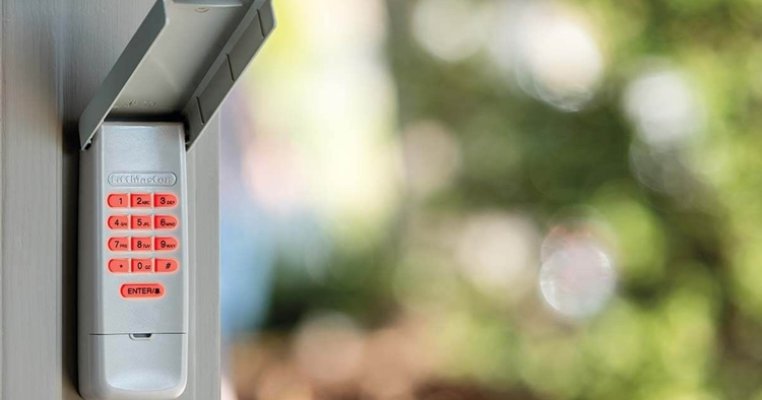
- Battery Problems: Weak or dead batteries are a leading cause of keypad failures. Replace batteries and test again.
- Wiring or Connection Faults: Inspect for loose wires or corrosion. If you’re comfortable, gently clean contacts or reconnect wires. Otherwise, consult a technician.
- Interference: Nearby electronics or metal objects can disrupt the signal. Try moving devices or clearing obstructions.
- Weather Damage: Exposure to rain, snow, or extreme temperatures may affect performance. If the keypad looks damaged, replacement may be necessary.
- Opener Memory Full: Some openers limit the number of paired devices. If you’ve added several remotes or keypads, erasing and reprogramming all codes may resolve the issue.
For additional troubleshooting tips, you can refer to resources like this comprehensive guide on garage door keypads.
When to Replace Your Garage Door Keypad
If repeated resets and troubleshooting fail, your keypad may be at the end of its lifespan. Signs you may need a new unit include:
- Physical cracks or worn-out buttons
- Unresponsive keys even after battery replacement
- Frequent code resets with no lasting fix
- Visible corrosion or water damage
Upgrading to a modern keypad can improve reliability and security. Many new models offer features like backlit keys, wireless setup, and rolling code technology for enhanced protection.

Additional Tips for Preventing Future Keypad Lockouts
- Change Your Code Regularly: Update your PIN every few months to maintain security and reduce the risk of accidental lockouts.
- Keep Spare Batteries Handy: Store extra batteries in a convenient location so you can quickly replace them when needed.
- Protect the Keypad from Weather: Install a weatherproof cover or position the keypad in a sheltered spot to prevent damage.
- Test the System Monthly: Regularly check that your keypad and opener are working together smoothly.
- Address Sensor Issues Promptly: If you notice problems with your garage door sensors, such as blinking lights or inconsistent operation, consult resources like why is my garage door sensor light blinking twice for targeted solutions.
Frequently Asked Questions
What should I do if my garage keypad still doesn’t work after a reset?
If your keypad remains unresponsive after following the reset steps, double-check the batteries and ensure you’re entering the correct code. Inspect for visible damage or corrosion. If issues persist, the keypad or opener may require professional servicing or replacement.
How often should I change my garage door keypad code?
For optimal security, update your keypad code every three to six months, or immediately if you suspect someone else knows your PIN. This helps prevent unauthorized access and accidental lockouts.
Can I reset my garage keypad without access to the opener unit?
Most reset procedures require pressing the “Learn” button on the opener motor inside your garage. If you cannot access the opener, you may need to use a remote or contact a professional for assistance.
Why does my keypad work intermittently?
Intermittent operation is often caused by weak batteries, signal interference, or loose wiring. Try replacing the batteries, clearing obstructions, and inspecting the wiring. If problems continue, consider replacing the keypad.
Conclusion
Dealing with a keypad lockout doesn’t have to be a major setback. By following the reset steps outlined here and addressing common causes, you can quickly restore access to your garage. For ongoing reliability, maintain your keypad, update your code regularly, and address any sensor or wiring issues as soon as they arise. If you’re interested in more troubleshooting advice, check out topics like how to fix garage door sensor wiring using electrical tape for additional support.