Garage door keypads offer convenient, secure access to your garage without the need for a physical key or remote. However, like any battery-powered device, these keypads can develop problems when their batteries start to run low. Recognizing garage door keypad low battery symptoms early can help you avoid being locked out or facing unexpected malfunctions.
This article breaks down the most common signs of a weak keypad battery, how to troubleshoot the issue, and what steps to take to restore reliable operation. If you’re experiencing intermittent keypad problems, understanding these warning signs can save you time and frustration.
For related troubleshooting tips, you may also want to read about why is my garage door sensor indicator light missing if you’re experiencing issues with your garage door sensors.
Recognizing Signs of a Weak Garage Door Keypad Battery
When the battery in your garage door keypad starts to fail, it rarely stops working all at once. Instead, you’ll notice a series of subtle and sometimes confusing symptoms. Here are the most common indicators that it’s time to replace your keypad battery:
- Dim or Flickering Keypad Lights: Most keypads have backlit buttons or indicator LEDs. If these lights appear noticeably dimmer than usual or flicker when you press a button, it’s a strong sign the battery is running out of power.
- Delayed Response: When you enter your code, the keypad may take longer than normal to activate the garage door opener. This lag is often due to insufficient battery voltage.
- Unresponsive Buttons: Sometimes, certain buttons may not register your input, or you may need to press them multiple times. This can be caused by weak battery output.
- Random Code Failures: If your correct code is suddenly being rejected or only works sporadically, a low battery could be the culprit.
- No Beep or Sound: Many keypads emit a beep when buttons are pressed. If this sound is faint or missing, check the battery first.
These symptoms can sometimes overlap with other keypad issues, such as worn-out buttons or electrical interference. However, if you notice a combination of these problems, replacing the battery is a simple first step before exploring more complex solutions.
How Low Battery Symptoms Affect Garage Security and Convenience
Ignoring low battery warnings can lead to more than just inconvenience. A failing keypad can compromise both the security and accessibility of your garage. Here’s how:
- Unexpected Lockouts: If the battery dies completely, you may be unable to open your garage from the outside, especially if you don’t have a backup remote or key.
- Security Risks: Some keypads may reset to a default code or become vulnerable to tampering when the battery is low, depending on the model.
- Missed Deliveries or Access: If you use your keypad to grant access to family, friends, or delivery personnel, a dead battery can disrupt these arrangements.
To avoid these issues, it’s wise to replace the battery at the first sign of trouble, or as part of your regular home maintenance routine.

What Causes Garage Door Keypad Battery Drain?
Understanding why your keypad battery drains can help you prevent frequent replacements. Several factors contribute to battery depletion:
- Frequent Use: The more often you use your keypad, the faster the battery will run down.
- Extreme Temperatures: Both hot and cold weather can reduce battery efficiency and lifespan.
- Old or Low-Quality Batteries: Using cheap or expired batteries can result in shorter operational periods.
- Electrical Issues: Faulty wiring or moisture inside the keypad can cause batteries to drain faster than normal.
Regular inspection and using high-quality batteries can help extend the time between replacements.
Troubleshooting and Fixing Low Battery Issues
If you suspect your garage door keypad is suffering from low battery power, follow these steps to resolve the problem:
- Locate the Battery Compartment: Most keypads have a slide-out tray or a small screw securing the battery cover. Consult your keypad’s manual if you’re unsure.
- Check the Battery Type: Common types include 9V, AA, or AAA batteries. Always use the recommended type and brand for best results.
- Replace the Battery: Remove the old battery and insert a fresh one, ensuring correct polarity. Avoid mixing old and new batteries.
- Test the Keypad: After replacing the battery, enter your code to verify that the keypad is working properly. The lights should be bright, and the response immediate.
- Reset or Reprogram if Needed: Some keypads may require reprogramming after a battery change. Refer to your manual or manufacturer’s website for instructions.
If your keypad still doesn’t work after a battery replacement, there may be a deeper issue such as worn-out buttons, damaged wiring, or interference. For more advanced troubleshooting, check out resources like this guide to fixing a non-working garage door keypad.
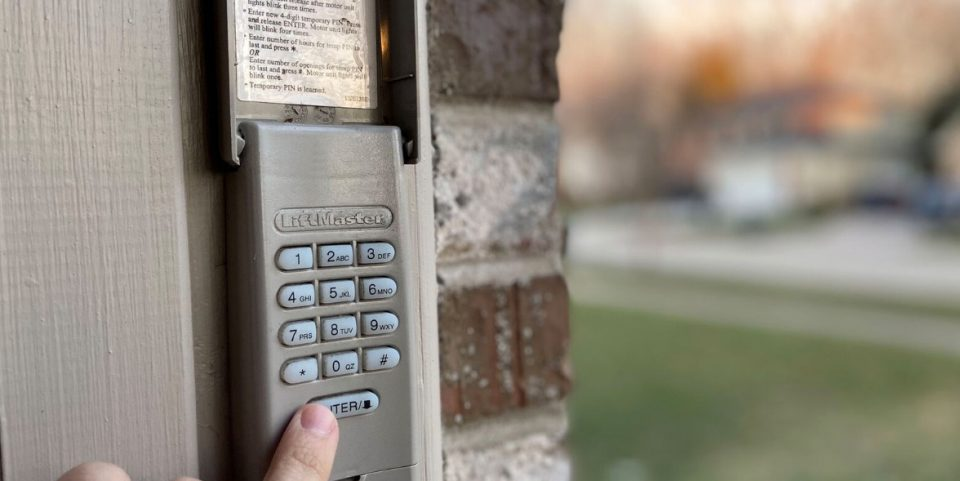
Preventive Maintenance for Reliable Keypad Operation
To minimize the risk of keypad failures due to battery issues, consider these preventive measures:
- Replace Batteries Annually: Even if you haven’t noticed any problems, swapping out the battery once a year can prevent unexpected malfunctions.
- Inspect for Corrosion: Occasionally check the battery contacts for signs of rust or corrosion, which can impede electrical flow.
- Protect Against Weather: If your keypad is exposed to the elements, consider installing a weatherproof cover to shield it from rain, snow, and direct sunlight.
- Test Regularly: Make it a habit to test your keypad every few weeks to ensure it’s working as expected.
Staying proactive with these steps can help you avoid the inconvenience and security risks associated with a dying keypad battery.
When to Replace Your Garage Door Keypad
Sometimes, persistent problems may indicate that your keypad is nearing the end of its lifespan rather than just suffering from a weak battery. Consider replacing your keypad if you experience:
- Repeated battery failures even with new batteries
- Buttons that stick or no longer register
- Physical damage to the keypad housing
- Frequent need to reprogram the device
Modern keypads are affordable and offer improved features, such as backlit buttons and weather resistance. If your current unit is unreliable, upgrading can restore convenience and peace of mind. For more on sensor and hardware maintenance, see our article on how to fix garage door sensor mounting on metal studs.
Frequently Asked Questions
What type of battery does my garage door keypad use?
Most keypads use a 9V, AA, or AAA battery. Check your keypad’s manual or look inside the battery compartment for the correct type. Using the recommended battery ensures optimal performance and longevity.
How often should I replace the battery in my garage keypad?
It’s a good idea to replace the battery once a year, even if you haven’t noticed any issues. If you use your keypad frequently or live in an area with extreme temperatures, you may need to replace it more often.
What should I do if my keypad still doesn’t work after changing the battery?
If a fresh battery doesn’t solve the issue, check for corroded contacts, worn-out buttons, or possible wiring problems. You may need to reprogram the keypad or consult a professional if the problem persists. For more troubleshooting, review resources like this troubleshooting guide for non-working garage door keypads.
By staying alert to garage door keypad low battery symptoms and addressing them promptly, you can keep your garage secure and accessible year-round. Regular maintenance and timely battery changes are simple steps that make a big difference in daily convenience and peace of mind.