Garage door keypads offer a convenient and secure way to access your garage without needing a remote or physical key. However, many homeowners experience the frustration of being locked out by their keypad. Understanding why a garage door keypad keypad lockout occurs, how it happens, and what you can do to prevent or resolve it is essential for keeping your home accessible and secure.
This article will break down the most common causes of keypad lockouts, explain the underlying mechanisms, and provide practical troubleshooting steps. We’ll also discuss preventative measures and answer frequently asked questions to help you avoid future issues. If you’re also dealing with sensor problems, you may want to read about how to fix garage door sensor mounting on metal studs for additional guidance on related garage door concerns.
What Is a Garage Door Keypad Lockout?
A lockout occurs when your keypad refuses to operate the garage door, even if you enter the correct code. This situation can be caused by several factors, ranging from simple user errors to technical malfunctions. A garage door keypad keypad lockout is designed as a security feature to prevent unauthorized access, but it can also inconvenience legitimate users.
Most modern keypads have built-in lockout mechanisms that temporarily disable the keypad after a certain number of incorrect code entries. This helps deter tampering and brute-force attempts but can also lock out homeowners who forget their codes or make repeated mistakes.
Common Causes of Keypad Lockouts
Several issues can trigger a keypad lockout. Understanding these causes will help you identify the problem and find the right solution.
- Incorrect Code Entries: Entering the wrong code multiple times in a row will often trigger a temporary lockout. Most keypads allow 3–5 failed attempts before disabling input for a set period.
- Battery Problems: Weak or dead batteries can prevent the keypad from sending a signal, making it seem like you’re locked out.
- Worn or Damaged Keypad: Over time, exposure to weather or frequent use can wear out the keypad, causing buttons to stick or fail to register presses.
- Signal Interference: Wireless keypads rely on radio signals. Interference from nearby electronics or structural barriers can block communication with the garage door opener.
- Programming Issues: If the keypad loses its programming or becomes unsynced from the opener, it won’t function until reprogrammed.
- Security Lockout Feature: Some systems have a manual lockout mode that can be activated from inside the garage, disabling all remote and keypad access.
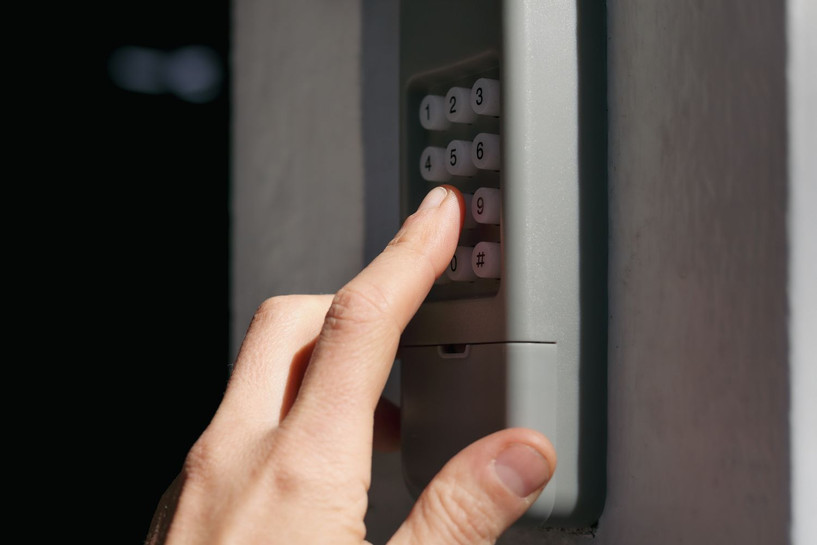
How Lockout Mechanisms Work
To protect against unauthorized entry, most keypads include a lockout feature. After a set number of failed code attempts, the keypad will disable itself for a period—typically 30 seconds to a few minutes. During this time, any further attempts are ignored. This is a standard security protocol found in many access control systems.
Some advanced keypads may also notify the homeowner through a connected app or sound an alert if repeated failed attempts are detected. In rare cases, the system may require a manual reset or reprogramming to restore functionality.
If you notice that your keypad is unresponsive after several failed attempts, wait a few minutes before trying again. If the lockout persists, you may need to address other issues such as battery replacement or reprogramming.
Troubleshooting a Garage Door Keypad Lockout
If you find yourself locked out, follow these steps to diagnose and resolve the issue:
- Wait Out the Lockout Timer: If you’ve entered the wrong code too many times, wait at least five minutes before trying again. Most lockouts are temporary.
- Check the Batteries: Replace the batteries with fresh ones. Even if the keypad lights up, weak batteries can cause unreliable operation.
- Inspect the Keypad: Look for visible damage, stuck buttons, or signs of wear. Clean the keypad gently with a dry cloth.
- Test for Signal Interference: Move any wireless devices or electronics away from the area. Try operating the keypad at different times of day to rule out interference.
- Reprogram the Keypad: Consult your manufacturer’s instructions to reset and reprogram the keypad. This often resolves issues caused by lost synchronization.
- Check for Manual Lockout: Some garage door openers have a “lock” button inside the garage. Make sure this feature hasn’t been activated accidentally.
- Consult the Manual: Refer to your keypad’s manual for specific troubleshooting steps and error codes.
If these steps do not resolve the problem, you may need to contact a professional technician or consider replacing the keypad. For related troubleshooting, see our guide on why is my garage door sensor indicator light missing for more insights on garage door system issues.
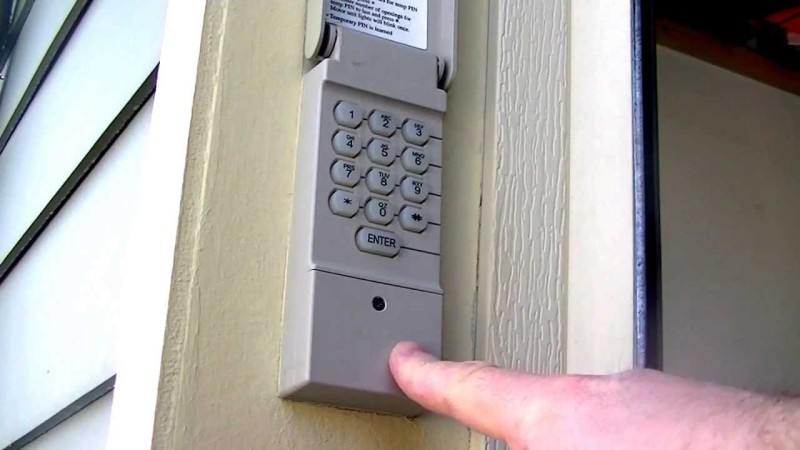
Preventing Future Lockouts
While some lockouts are unavoidable, you can reduce the risk by following these best practices:
- Memorize Your Code: Choose a code that is easy for you to remember but hard for others to guess. Avoid writing it down in obvious places.
- Change Codes Regularly: Update your code every few months to enhance security and reduce the risk of unauthorized access.
- Maintain the Keypad: Clean and inspect the keypad regularly to prevent dirt buildup and mechanical wear.
- Replace Batteries Proactively: Change batteries at least once a year or whenever you notice reduced performance.
- Keep a Backup Entry Method: Always have an alternative way to enter your garage, such as a remote, key, or access through the house.
For more information on the benefits of keypads and how they improve garage access, check out this detailed overview of garage door opener keypads.
When to Replace Your Keypad
If your keypad repeatedly fails or shows signs of physical damage, it may be time for a replacement. Modern keypads offer enhanced security features, improved weather resistance, and easier programming. Upgrading can also help prevent future lockouts and provide peace of mind.
When shopping for a new keypad, look for models compatible with your garage door opener and consider features like backlit keys, weatherproofing, and rolling code technology for added security.
Frequently Asked Questions
How long does a keypad lockout last?
Most keypad lockouts are temporary and last between 30 seconds and five minutes, depending on the manufacturer. After the timer expires, you can try entering your code again.
Can I reset my garage door keypad after a lockout?
Yes, most keypads can be reset by following the manufacturer’s instructions. This usually involves pressing a “learn” button on the garage door opener and entering a new code on the keypad.
What should I do if my keypad is still not working after troubleshooting?
If you’ve replaced the batteries, checked for interference, and reprogrammed the keypad but it still doesn’t work, the device may be faulty. Consider replacing the keypad or consulting a professional technician for further assistance.
Are wireless keypads secure?
Modern wireless keypads use encryption and rolling codes to prevent unauthorized access. However, it’s important to change your code regularly and keep the keypad in good working condition to maintain security.
For more tips on troubleshooting garage door issues, you might also find our article on why is my garage door sensor light turning off and on helpful.