


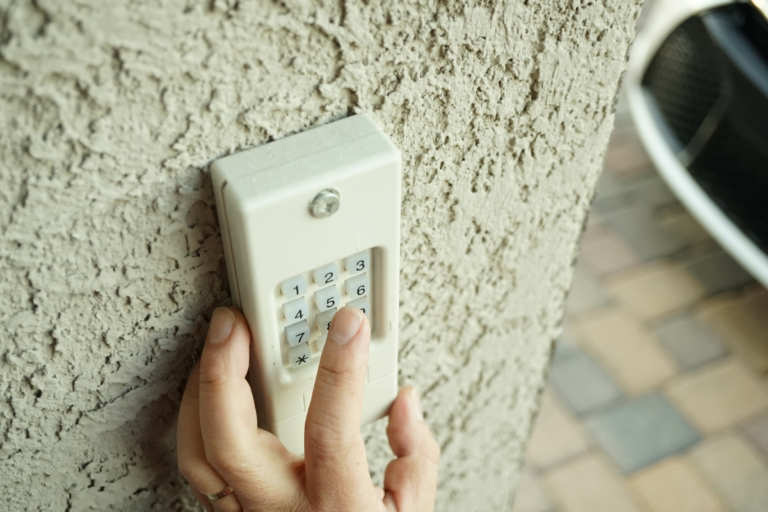
A malfunctioning or forgotten code on your garage door keypad can be frustrating, but resetting it is often a straightforward process. Whether you’ve moved into a new home, want to update your security, or are troubleshooting access issues, knowing how to reset garage door keypad systems is a valuable skill for homeowners. This guide explains the process in clear steps, covers common keypad types, and highlights important safety tips to ensure your garage remains secure.
Before you begin, it’s important to identify your keypad and opener model, as procedures can vary. Most modern systems allow for quick resets, but older units may require additional steps. If you’re also experiencing issues with your garage door sensors or mounting hardware, you might find this resource on how to fix garage door sensor mounting on metal studs helpful.
Understanding Garage Door Keypad Basics
Garage door keypads are wireless devices that allow you to open and close your garage door using a personal identification number (PIN). They communicate with the garage door opener via a secure radio frequency. Over time, you may need to reset the keypad to change your PIN, restore functionality, or sync it with a new opener.
There are several common reasons to perform a reset:
- Forgotten or compromised PIN
- Moving into a new home
- Malfunctioning keypad or opener
- Replacing the garage door opener unit
Step-by-Step Instructions for Resetting Your Keypad
The process for resetting a garage door keypad depends on your opener’s brand and model. Below are the most common methods used by leading manufacturers such as LiftMaster, Chamberlain, Genie, and Craftsman.

1. Locate the “Learn” or “Program” Button
Most garage door openers have a “Learn” or “Program” button on the motor unit, typically found on the back or side. This button is often colored (red, yellow, purple, or orange) and may be behind a light cover.
2. Clear Old Codes (If Necessary)
For added security, clear any existing codes before setting a new one. Press and hold the “Learn” button until the indicator light turns off (about 6–10 seconds). This erases all remote and keypad codes from the opener’s memory.
3. Enter Programming Mode
Press and release the “Learn” button. The indicator light should begin blinking, signaling that the opener is ready to accept a new code.
4. Set a New PIN on the Keypad
Within 30 seconds of pressing the “Learn” button, go to your keypad and enter your desired 4-digit PIN. Then, press the “Enter” or “Send” button on the keypad. The opener light will blink or you’ll hear a click, confirming the new code is set.
5. Test the Keypad
Wait a few seconds, then enter your new PIN and press “Enter.” The garage door should operate as expected. If not, repeat the process, ensuring you complete each step within the required time frame.
Resetting Keypads by Brand
While the general process is similar, some brands have unique steps or additional features. Here’s a quick overview for popular models:
- LiftMaster/Chamberlain: Use the “Learn” button as described above. Some models require you to enter the new PIN twice for confirmation.
- Genie: Press and hold the “Program” button until the LED blinks. Enter your new PIN, then press the “Up/Down” button. Wait for the LED to turn off.
- Craftsman: Similar to LiftMaster, but refer to your manual for specific timing requirements.
If you’re unsure about your model, consult your owner’s manual or visit manufacturer websites for detailed instructions.
Troubleshooting Common Issues
If your keypad isn’t responding after a reset, consider these troubleshooting tips:
- Check the keypad batteries and replace if needed.
- Ensure you’re within range of the opener.
- Verify that the opener’s antenna is hanging down and unobstructed.
- Repeat the reset process, making sure to enter the code within 30 seconds of pressing the “Learn” button.
- Inspect for physical damage or worn-out buttons on the keypad.
For more advanced troubleshooting, you may want to consult a professional or refer to guides such as why is my garage door sensor indicator light missing.

Safety and Security Considerations
When updating your garage door keypad code, always choose a unique PIN that’s difficult to guess. Avoid using easily identifiable numbers like birthdays or addresses. If you suspect someone else knows your code, reset it immediately.
It’s also wise to periodically clear out old codes, especially if you’ve given temporary access to guests or service providers. For more on garage door safety, see tips on how to fix garage door sensor bracket bending.
When to Replace Your Keypad
If your keypad continues to malfunction after a reset, it may be time for a replacement. Signs that a new unit is needed include:
- Unresponsive or sticking buttons
- Frequent battery drain
- Physical damage or weather exposure
- Compatibility issues with new openers
Modern keypads offer enhanced security features and easier programming. For a selection of reliable models, consider using the Buy Garage Door Opener Keypad button above.
Additional Resources
For a deeper dive into keypad technology and troubleshooting, check out this comprehensive guide to garage door opener keypads. Staying informed helps you maintain both convenience and security for your home.
If you’re experiencing related issues, such as sensor misalignment or environmental effects on your garage door system, you may also find value in reading about how to fix garage door sensor from shifting due to temperature.
Frequently Asked Questions
Can I reset my garage door keypad without the opener’s manual?
Yes, most keypads can be reset using the “Learn” or “Program” button on the opener unit. However, if you’re unsure of the steps or your keypad is an older model, referring to the manual or manufacturer’s website is recommended.
How often should I change my garage door keypad code?
It’s a good practice to update your PIN every 6–12 months, or immediately if you suspect unauthorized access. Regular updates help keep your garage secure.
What should I do if my keypad still doesn’t work after resetting?
First, replace the batteries and ensure you followed the reset steps correctly. If the issue persists, check for physical damage or interference. If problems continue, consider replacing the keypad or consulting a professional.
Is it safe to share my garage door code with others?
Only share your code with trusted individuals. If you provide temporary access, remember to reset your PIN afterward to maintain security.
Conclusion
Resetting your garage door keypad is a simple yet important task for maintaining home security and convenience. By following the steps outlined above, you can quickly restore access and peace of mind. Remember to use secure codes, update them regularly, and address any hardware issues promptly. For further information on related garage door maintenance topics, explore the resources linked throughout this article.
