Garage door sensors are essential for safety and reliable operation. When they malfunction, it’s often due to interference or misalignment, which can prevent your garage door from closing properly. Understanding how to check for interference with garage door sensors can help you quickly diagnose and resolve issues, keeping your garage secure and your family safe.
This guide covers the most common causes of sensor interference, practical troubleshooting steps, and tips for maintaining optimal sensor performance. Whether you’re a homeowner or a DIY enthusiast, you’ll find actionable advice to help you restore your garage door’s functionality.
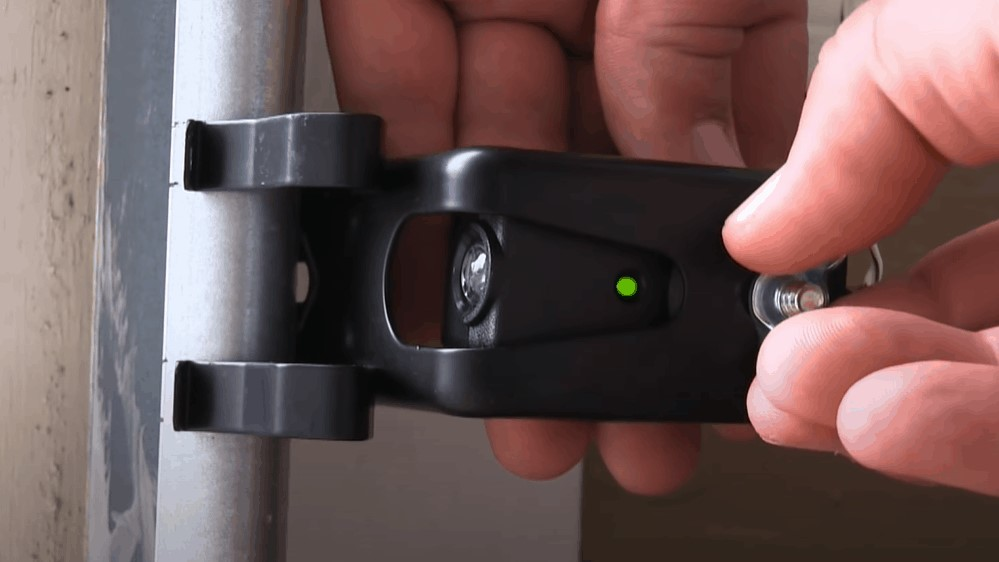
If you’re also dealing with sensor mounting issues, you may find this resource on how to fix garage door sensor mounting on metal studs helpful for more advanced troubleshooting.
Understanding Garage Door Sensor Interference
Garage door sensors use infrared beams to detect obstacles and ensure safe operation. Interference can disrupt these beams, causing the door to stop or reverse unexpectedly. Recognizing the signs of interference is the first step in resolving sensor problems.
- Sensor lights blinking or remaining off
- The door reverses when closing, even with no visible obstruction
- Intermittent or inconsistent door operation
Common sources of interference include sunlight, dust, electrical devices, and even physical obstructions. Identifying the cause is crucial for effective troubleshooting.
Common Causes of Sensor Interference
Several factors can disrupt the signal between your garage door sensors. Here are the most frequent culprits:
- Direct sunlight shining onto the sensor lens
- Accumulated dirt, dust, or spider webs on the sensor
- Nearby electronic devices emitting radio frequency (RF) signals
- Loose or damaged wiring
- Physical misalignment of the sensor units
Understanding these causes helps you systematically check for and eliminate sources of interference.
Step-by-Step Guide: Checking for Interference
Follow these steps to identify and resolve interference with your garage door sensors:
1. Inspect Sensor Alignment and Cleanliness
Start by visually inspecting both sensors, usually located at the base of the garage door tracks. They should face each other directly, with indicator lights illuminated. If the lights are off or blinking, there may be an alignment or obstruction issue.
- Wipe the sensor lenses gently with a clean, dry cloth.
- Remove any cobwebs, dirt, or debris around the sensors.
- Adjust the sensors so they are perfectly aligned. Most models have a steady green or red light when properly aligned.
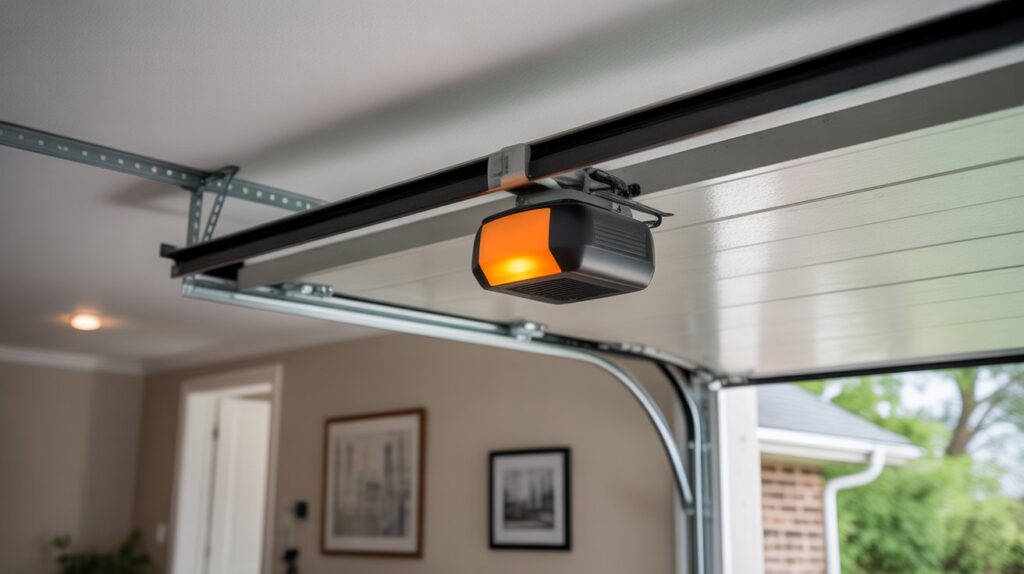
2. Check for Sunlight and Environmental Factors
Direct sunlight can overwhelm the sensor’s infrared beam, especially during certain times of day. If you notice issues only when the sun is shining into your garage, try shading the sensor with a small cover or repositioning it slightly. Avoid using opaque materials that could block the beam entirely.
3. Look for Electrical and RF Interference
Electronic devices such as wireless routers, LED lights, or even certain types of garage lighting can emit signals that interfere with sensor operation. Temporarily unplug or move these devices to see if the problem resolves. If interference disappears, consider relocating the device or using shielded cables.
For more on electrical issues, see this guide on how to fix garage door sensor wiring using electrical tape for safe wiring practices.
4. Inspect Wiring and Connections
Loose, frayed, or damaged wires can disrupt sensor signals. Carefully check the wiring from the sensors to the garage door opener. Secure any loose connections and replace damaged wires as needed. If you hear humming or buzzing, you may want to review solutions for garage door sensor hum or buzz for additional troubleshooting.
Testing Sensor Functionality
Once you’ve addressed potential sources of interference, test your sensors:
- Close the garage door using the wall button or remote.
- Wave an object (like a broomstick) in front of the sensors as the door closes. The door should reverse immediately.
- If the door does not respond, double-check alignment and wiring.
Consistent operation after these checks indicates the interference has been resolved. If problems persist, you may need to replace the sensors or consult a professional.
When to Seek Professional Help
If you’ve tried all troubleshooting steps and your garage door sensors still malfunction, it may be time to call a professional. Persistent issues could indicate faulty sensors, deeper electrical problems, or a malfunctioning garage door opener. A qualified technician can diagnose and repair complex issues safely.
For specific sensor light patterns, such as blinking, you can refer to this detailed explanation of garage door sensor blinking lights for further guidance.
If your transmitter is unresponsive, check out this resource on why your garage door sensor transmitter might be dead for additional troubleshooting tips.
Preventing Future Interference
Regular maintenance is key to preventing sensor interference:
- Clean sensor lenses monthly
- Check alignment after any impact or door adjustment
- Inspect wiring for wear or damage
- Keep the area around sensors clear of clutter
- Monitor for environmental changes, such as new electronic devices or lighting
Proactive care ensures your garage door sensors remain reliable and responsive.
FAQ
What are the most common signs of interference with garage door sensors?
Frequent signs include blinking sensor lights, the garage door reversing unexpectedly, or the door failing to close. These symptoms often point to alignment issues, obstructions, or environmental interference.
Can sunlight really affect garage door sensors?
Yes, direct sunlight can overwhelm the infrared beam, causing false readings or sensor failure. Shading the sensor or adjusting its position can help mitigate this issue.
How often should I clean and check my garage door sensors?
It’s recommended to clean the sensor lenses and inspect alignment at least once a month, or more often if you notice operational issues. Regular checks help prevent dust, dirt, and cobwebs from causing interference.
What should I do if my sensor lights keep blinking even after cleaning and aligning?
If blinking persists, inspect the wiring for damage and check for nearby electronic devices that might cause interference. If the issue continues, the sensors may need replacement or professional inspection.