Garage door sensors are designed to keep your home safe by preventing the door from closing when something is in its path. However, after a period of heavy rain, it’s common for these sensors to malfunction or stop working altogether. If you’re facing issues with your garage door not closing or the sensor lights blinking after a storm, you’re not alone. Understanding how to fix garage door sensor after heavy rain can save you time, money, and frustration.
This guide walks you through the most effective troubleshooting steps, explains why moisture causes problems, and offers practical solutions to restore your garage door’s safety features. If you’re dealing with other sensor issues, such as why is my garage door sensor indicator light missing, you’ll find additional resources linked throughout the article.
Common Problems Caused by Rain and Moisture
Heavy rainfall can introduce a range of issues for garage door sensors. Water can seep into the sensor housing, causing electrical shorts or fogging the lens. Moisture may also lead to corrosion on the wiring or connectors, which disrupts the signal between the sensors. Some of the most frequent problems observed after a storm include:
- Sensor lights blinking or turning off
- Garage door refusing to close or reversing unexpectedly
- Intermittent operation or false obstruction warnings
- Condensation on the sensor lens reducing signal clarity
Understanding these symptoms is the first step in diagnosing and resolving the issue.
Step-by-Step Guide: Restoring Garage Door Sensors After Rain
Before calling a professional, there are several steps you can take to address sensor failure caused by wet weather. Here’s a practical approach to troubleshooting garage door sensors after heavy rain:
1. Inspect for Visible Moisture or Water Damage
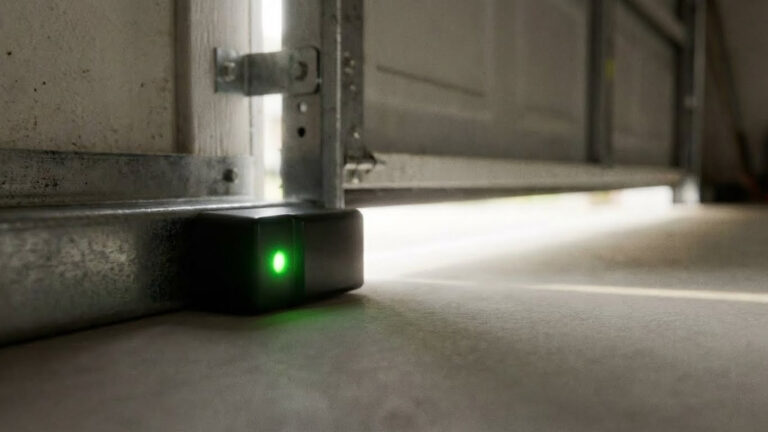
Start by examining both sensors at the base of your garage door tracks. Look for water droplets, condensation inside the sensor covers, or signs of rust and corrosion. If you spot moisture, gently wipe the exterior with a dry cloth. For condensation inside the lens, you may need to remove the sensor cover and let it air dry.
2. Check Sensor Alignment and Mounting
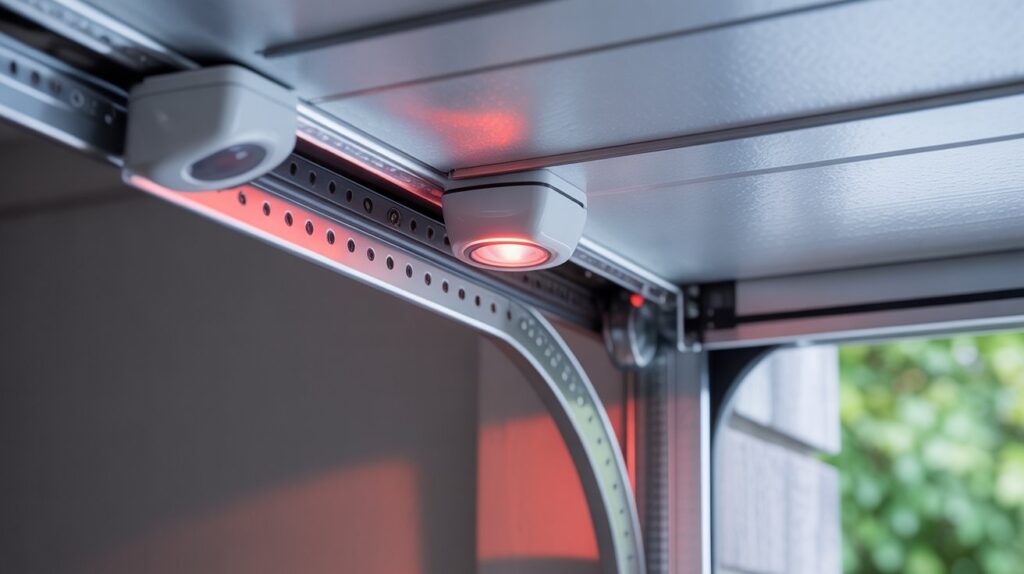
Rain can sometimes shift or loosen the sensor brackets, causing them to fall out of alignment. Both sensors must face each other directly for the system to work. Adjust the sensors so their lenses are parallel and at the same height. If you notice the brackets are bent or damaged, refer to this guide on fixing garage door sensor bracket bending for repair tips.
3. Clean the Sensor Lenses
Dirt and water spots can block the infrared beam. Use a soft, dry cloth to clean the lenses. Avoid using harsh chemicals, as these can damage the plastic and reduce effectiveness. If the lens is fogged from inside, allow extra drying time before reassembling.
4. Examine Wiring and Connections
Inspect the wires leading to each sensor for fraying, corrosion, or loose connections. Water can cause short circuits or degrade the wire insulation. If you find damaged wiring, it may need to be replaced or reconnected. Secure all connections and ensure no bare wires are exposed.
5. Test the Sensors
Once you’ve dried, cleaned, and realigned the sensors, test the garage door. The indicator lights on each sensor should be steady (not blinking). If the door still won’t close, try holding down the wall button to override the safety system temporarily. This can help you determine if the sensors are still the source of the problem.
Preventing Future Sensor Issues After Storms
Taking preventive measures can help you avoid repeated sensor failures after rain. Here are some practical tips:
- Install weatherproof covers over your sensors to shield them from direct water exposure.
- Seal gaps around the garage door and sensor mounting points to reduce water intrusion.
- Elevate sensors slightly if possible, to keep them above pooling water or puddles.
- Regularly inspect and maintain the sensors, especially after storms or in humid climates.
If your sensors are frequently affected by rain, consider upgrading to models with better weather resistance. For more on sensor mounting challenges, see the article on how to fix garage door sensor mounting on metal studs.
Understanding Sensor Indicator Lights After Rain
The indicator lights on your garage door sensors provide valuable clues about their status. After heavy rain, you may notice one or both lights blinking, turning off, or changing color. Here’s what these signals typically mean:
| Light Status | Possible Cause | Action |
|---|---|---|
| Both lights steady | Sensors aligned, no obstruction | System should operate normally |
| One light blinking | Misalignment, dirty lens, or moisture | Clean, dry, and realign sensors |
| Both lights off | No power or severe water damage | Check wiring and connections |
| Light changes color | Manufacturer-specific error | See manual or learn about garage door sensor colors |
If you’re unsure about the meaning of your sensor’s indicator light, consult your garage door opener’s manual or refer to the linked resource above for detailed explanations.
When to Call a Professional
Most sensor issues after rain can be resolved with basic cleaning and alignment. However, if you notice persistent problems such as:
- Repeated short circuits or blown fuses
- Extensive corrosion on wiring or connectors
- Physical damage to the sensor housing
- Garage door still won’t operate after all troubleshooting steps
It’s best to contact a qualified garage door technician. Electrical issues or complex wiring problems should always be handled by professionals to ensure safety and compliance with local codes.
FAQ
Why do garage door sensors stop working after heavy rain?
Moisture can seep into the sensor housing, causing electrical shorts, fogging the lens, or corroding the wiring. These issues disrupt the infrared signal, leading to malfunctions or complete failure.
How can I quickly dry out my garage door sensors?
Wipe the exterior with a dry cloth, remove the sensor cover if possible, and allow the inside to air dry. Avoid using heat guns or hair dryers, as excessive heat can damage the electronics.
What should I do if the sensor lights keep blinking after drying and cleaning?
Check for proper alignment, clean the lenses again, and inspect the wiring for damage. If the problem persists, the sensor may need to be replaced or there could be a deeper electrical issue.
Can I override the sensors to close my garage door?
Most garage door openers allow you to hold down the wall-mounted button to close the door temporarily. This should only be done when you are certain nothing is blocking the door’s path.
Are there waterproof garage door sensors available?
Some modern sensors are designed with better weather resistance. Installing weatherproof covers and sealing mounting points can also help protect your existing sensors from rain-related problems.
For more troubleshooting tips, see advice on why is my garage door sensor light turning off and on or how to fix garage door sensor from shifting due to temperature.
By following these steps and preventive measures, you can keep your garage door sensors functioning reliably—even after the heaviest downpours.