If your garage door refuses to close and you notice the sensor light blinking exactly ten times, you’re not alone. This is a common issue with modern garage door openers, and it usually signals a problem with the safety sensors. Understanding what this blinking pattern means and how to resolve it can save you time, money, and frustration.
In this guide, you’ll learn how to fix garage door sensor blinking 10 times quickly and safely. We’ll cover the most common causes, step-by-step troubleshooting, and practical solutions you can try at home. You’ll also find links to related issues, recommended products, and answers to frequently asked questions to help you keep your garage door working smoothly.
Before diving into the solutions, it’s worth noting that sometimes sensor issues are related to mounting or environmental factors. If you’re dealing with sensor mounting on metal studs, you might find this resource helpful: how to fix garage door sensor mounting on metal studs.
Understanding the 10-Blink Sensor Warning
When your garage door sensor blinks ten times, it’s not random. Most garage door openers, especially from brands like LiftMaster, Chamberlain, and Craftsman, use this pattern to indicate a specific safety concern. The ten flashes typically mean the safety sensors are either misaligned, blocked, dirty, or have a wiring issue. The system is designed this way to prevent the door from closing on people, pets, or objects.
Ignoring this warning can leave your garage door stuck open, compromising your home’s security and exposing your belongings to the elements. Addressing the problem as soon as you notice the blinking is the best way to restore normal operation.
Common Causes of Garage Door Sensor Blinking
To resolve the issue, it’s important to understand what might be causing the blinking. Here are the most frequent culprits:
- Sensor Misalignment: The two sensors (usually located near the bottom of the door tracks) must face each other directly. If they’re bumped or shifted, the system won’t work.
- Obstructions: Anything blocking the sensor beam—like leaves, dirt, or even spider webs—can trigger the warning.
- Dirty Lenses: Dust or grime on the sensor lenses can interfere with the infrared beam.
- Wiring Issues: Loose, frayed, or disconnected wires can break the circuit, causing the system to flash the warning.
- Sensor Damage: Physical damage from impact or weather can cause the sensors to malfunction.
In rare cases, issues with the opener’s logic board or electrical interference may also be to blame, but these are less common.
Step-by-Step Guide: Fixing a Garage Door Sensor That Blinks Ten Times
Follow these steps to diagnose and resolve the blinking sensor issue:
1. Inspect for Obstructions and Clean the Sensors
Start by checking for any objects or debris blocking the path between the sensors. Remove anything in the way, then gently wipe the sensor lenses with a soft, dry cloth. Even a thin layer of dust can disrupt the beam.
2. Check Sensor Alignment
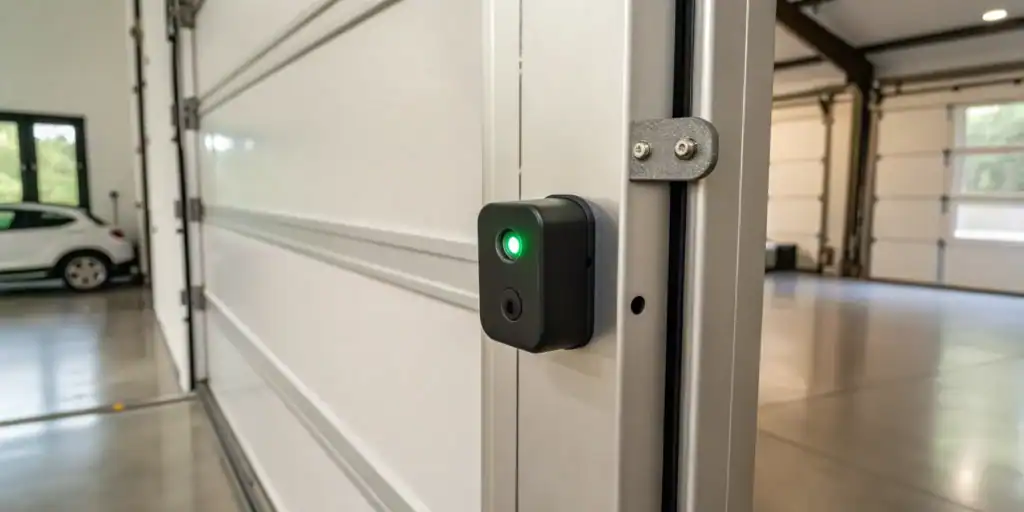
Both sensors should be mounted at the same height and point directly at each other. Most sensors have indicator lights—when aligned, both lights should be solid (not blinking). If one or both are blinking or off, gently adjust the sensors until the lights stay steady. Tighten the mounting brackets to keep them in place.
If you notice your sensors shift frequently due to temperature changes, see this guide on how to fix garage door sensor from shifting due to temperature for more tips.
3. Inspect and Secure Wiring Connections
Carefully examine the wires running from each sensor to the garage door opener. Look for loose connections, frayed wires, or signs of corrosion. If you find any issues, turn off power to the opener before tightening connections or replacing damaged wires. Secure all wiring to prevent future problems.
4. Test the System
After cleaning, aligning, and checking the wiring, try operating the garage door. If the sensors are working correctly, the blinking should stop and the door should close smoothly. If the problem persists, proceed to the next steps.
5. Replace Faulty Sensors or Components
If you’ve tried all the above and the sensor still blinks ten times, one or both sensors may be faulty. Replacement sensors are widely available and easy to install. Make sure to purchase a compatible model for your opener.
Sometimes, the mounting bracket may be bent or damaged, preventing proper alignment. In that case, refer to this article on how to fix garage door sensor bracket bending for repair advice.

Other Sensor Light Patterns and What They Mean
If your sensor is blinking in a different pattern, or if the indicator light is missing or turning off and on, you may be dealing with a different issue. For example, if the indicator light isn’t visible at all, see this resource on why is my garage door sensor indicator light missing. If the light flickers or behaves erratically, check out why is my garage door sensor light turning off and on for troubleshooting steps.
For a deeper explanation of sensor light colors and their meanings, visit this comprehensive guide to garage door sensor light colors.
Preventing Future Sensor Issues
Once you’ve resolved the blinking sensor problem, a few simple habits can help prevent it from happening again:
- Regularly clean the sensor lenses to keep them free of dust and debris.
- Check alignment after any accidental bumps or if you notice the door behaving oddly.
- Inspect wiring and mounting brackets at least once a year.
- Trim plants or move objects away from the sensor path.
- Replace old or damaged sensors promptly to maintain safety.
Staying proactive with maintenance can save you from unexpected headaches and keep your garage door system reliable.
Frequently Asked Questions
Why does my garage door sensor blink ten times but the door won’t close?
The ten-blink pattern is a safety warning indicating that the sensors are either misaligned, blocked, dirty, or have a wiring issue. The system prevents the door from closing to avoid accidents or damage. Follow the troubleshooting steps above to restore normal function.
Can I bypass the sensors to close my garage door?
While some openers allow you to hold the wall button to force the door closed, this should only be a temporary measure. Bypassing the sensors removes an important safety feature and can be dangerous. Always address the root cause of the blinking before resuming normal use.
How do I know if my garage door sensor needs replacement?
If cleaning, realigning, and checking the wiring doesn’t resolve the issue, and the sensor lights remain off or blinking, the sensor may be faulty. Replacement is straightforward—just ensure you buy a compatible model for your opener.
What if the sensor light is missing or keeps turning off?
This could indicate a wiring problem, a dead sensor, or an issue with the opener’s logic board. For more details, see the guides on indicator light missing or light turning off and on.
Conclusion
Dealing with a garage door sensor that blinks ten times can be frustrating, but it’s usually a straightforward fix. By cleaning the lenses, checking alignment, and ensuring the wiring is secure, you can often resolve the issue in minutes. If problems persist, replacing the sensor or consulting a professional may be necessary. Regular maintenance and prompt attention to warning signals will keep your garage door operating safely and reliably.