When your Craftsman garage door refuses to close or the safety sensors start acting up, it can be both inconvenient and frustrating. Understanding how to troubleshoot Craftsman garage door sensors efficiently can save you time, money, and unnecessary stress. These sensors are a critical safety feature, preventing the door from closing if there’s an obstruction. However, even minor misalignments or wiring issues can cause them to malfunction.
This guide will walk you through the most common problems, step-by-step solutions, and essential tips for diagnosing sensor issues. Whether you’re dealing with blinking lights, unresponsive doors, or intermittent errors, you’ll find practical advice here. If you’re facing related issues, such as why is my garage door sensor indicator light missing, you may want to review that resource as well for additional troubleshooting insights.
Understanding Garage Door Sensor Basics
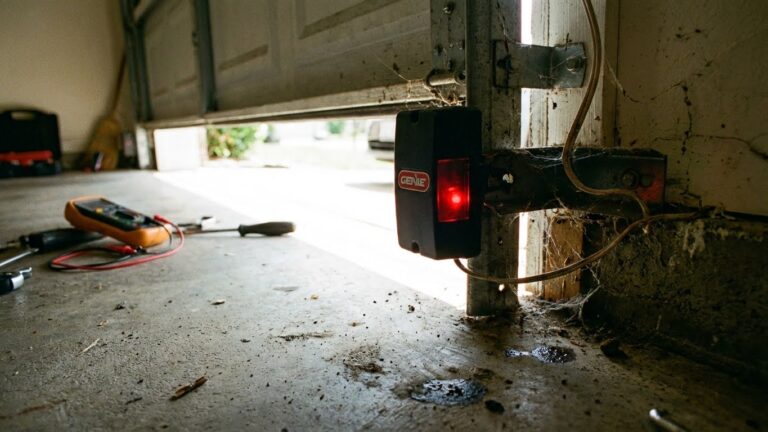
Before diving into troubleshooting, it’s helpful to know how these sensors work. Craftsman garage door sensors typically use an infrared beam to detect obstructions. There are two units: one emits the beam, and the other receives it. If the beam is interrupted or the sensors are misaligned, the door won’t close for safety reasons.
Common signs of sensor issues include:
- The garage door reverses immediately after touching the floor.
- Flashing or blinking sensor lights.
- The door won’t close unless you hold down the wall button.
- Indicator lights are off or flickering.
Initial Steps for Diagnosing Sensor Problems
When you notice your garage door isn’t operating as expected, start with these basic checks:
- Inspect for Obstructions: Make sure nothing is blocking the sensor beam, such as tools, toys, or debris.
- Clean the Sensor Lenses: Dust, cobwebs, or dirt can block the infrared signal. Gently wipe both lenses with a soft cloth.
- Check the Indicator Lights: Most Craftsman sensors have LED lights. A solid green or amber light usually means the sensors are working, while blinking or no light indicates a problem.
If these steps don’t resolve the issue, it’s time to dig deeper into alignment and wiring.
How to Align Craftsman Garage Door Sensors
Misalignment is one of the most frequent causes of sensor malfunctions. Even a slight bump can knock the sensors out of place. Here’s how to check and correct alignment:
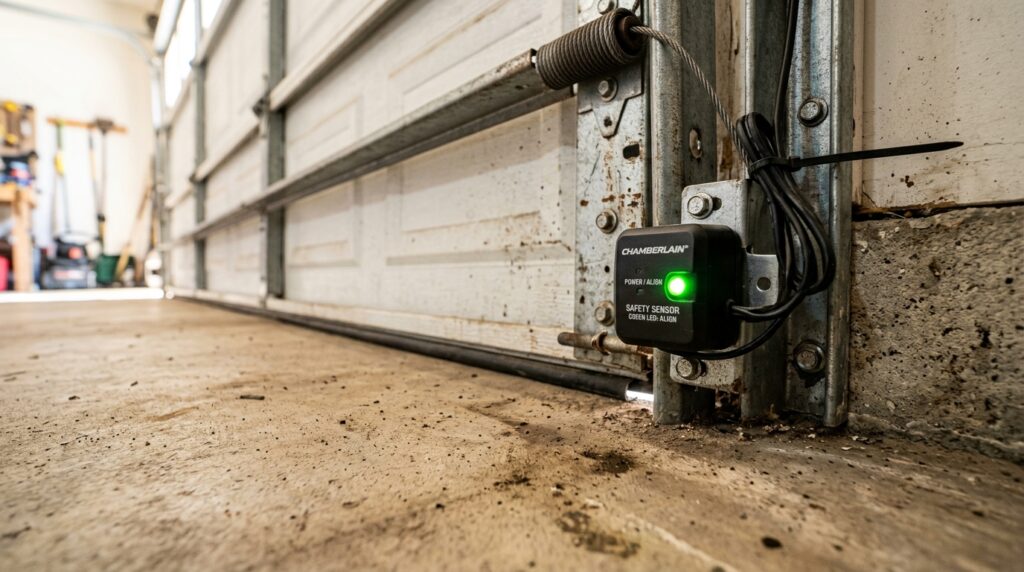
Steps to realign your sensors:
- Locate both sensors on either side of the garage door, typically mounted near the floor.
- Loosen the mounting brackets slightly so you can adjust the sensors.
- Gently move each sensor until both indicator lights turn solid (usually green or amber).
- Tighten the brackets and test the door operation.
If you’re mounting sensors on metal studs or have issues with brackets, see how to fix garage door sensor mounting on metal studs or how to fix garage door sensor bracket bending for more targeted solutions.
Checking Sensor Wiring and Connections
If alignment doesn’t solve the problem, faulty wiring could be to blame. Over time, wires can become loose, frayed, or disconnected. Here’s how to inspect the wiring:
- Unplug the garage door opener for safety.
- Examine the wires leading to each sensor for visible damage or loose connections.
- Ensure wires are securely attached to the sensor terminals and the opener unit.
- Look for signs of corrosion or wear, especially if your garage is exposed to moisture.
If you find damaged wires, they may need to be stripped and reconnected or replaced. Always restore power and test the door after making adjustments.
Understanding Sensor Light Patterns
The LED lights on your Craftsman sensors provide valuable diagnostic information. Here’s what common light patterns mean:
| Light Pattern | Possible Cause | Recommended Action |
|---|---|---|
| Solid Green/Amber | Sensors aligned and functioning | No action needed |
| Blinking Light | Misalignment or obstruction | Realign sensors, remove obstructions |
| No Light | No power or wiring issue | Check power, inspect wiring |
If your indicator light keeps turning off and on, you may want to review why is my garage door sensor light turning off and on for more details.
Advanced Troubleshooting: Temperature and Environmental Factors
Environmental changes can also affect sensor performance. Extreme temperatures may cause sensor brackets to expand or contract, leading to misalignment. If you notice your sensors shift position seasonally, check out how to fix garage door sensor from shifting due to temperature for preventive measures.
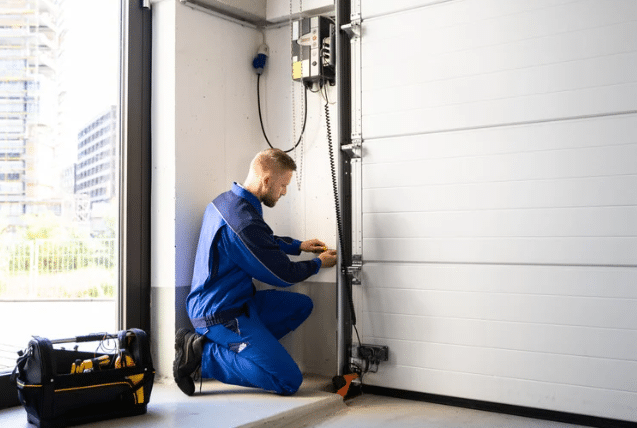
Other environmental factors to consider:
- Direct sunlight can interfere with infrared beams.
- Heavy rain or condensation may cause short circuits or corrosion.
- Vibration from frequent use or nearby equipment can loosen brackets over time.
When to Replace Your Garage Door Sensors
If you’ve tried all the troubleshooting steps and your sensors still don’t work, they may be faulty or too old to function reliably. Replacement is straightforward and often more cost-effective than repeated repairs. Make sure to purchase compatible sensors for your Craftsman opener. For reliable options, consider browsing products like those found at the garage door sensor lights store.
Expert Tips for Preventing Future Sensor Issues
To keep your garage door sensors working smoothly:
- Regularly clean the lenses and check for obstructions.
- Inspect alignment monthly, especially after storms or accidental bumps.
- Secure wires and brackets to prevent loosening from vibration.
- Address environmental factors, such as direct sunlight or moisture, with protective covers or repositioning if needed.
For more in-depth troubleshooting strategies, see this comprehensive guide to garage door sensor issues.
Frequently Asked Questions
Why are my Craftsman garage door sensors blinking?
Blinking lights usually indicate that the sensors are misaligned or something is blocking the infrared beam. Check for obstructions, clean the lenses, and realign the sensors until both indicator lights are solid.
Can I bypass the safety sensors temporarily?
While it’s technically possible to bypass the sensors by holding down the wall button, it’s not recommended for regular use. The sensors are a critical safety feature, and bypassing them can create hazards for people, pets, and property.
What should I do if the sensor lights are off?
If neither sensor has a lit indicator, check the power supply and wiring connections. Ensure the opener is plugged in and the wires are securely attached. If the problem persists, the sensors or wiring may need replacement.