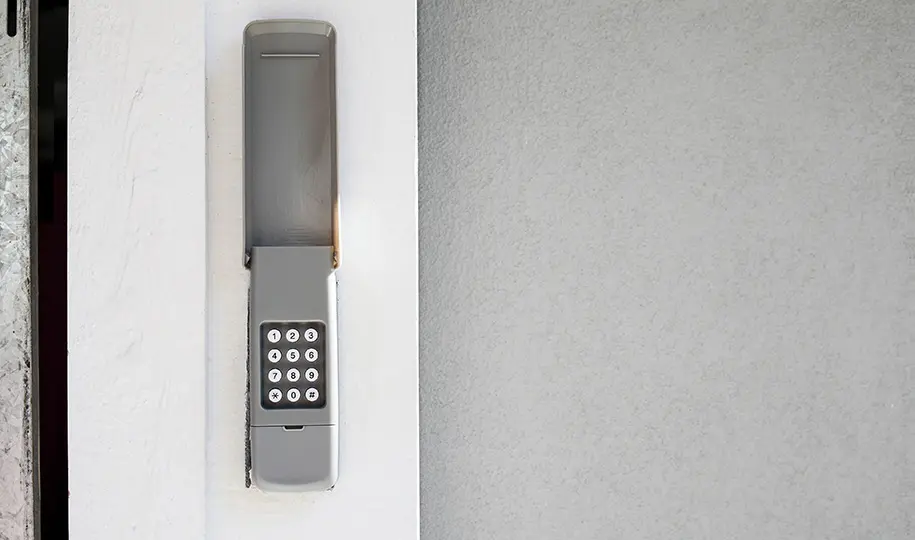
Garage door keypads are a convenient way to access your garage without needing a remote or physical key. However, like any electronic device, they can sometimes display error codes or stop working as expected. Understanding what these codes mean and how to address them can save you time, money, and frustration. This guide will clarify the most common garage door keypad error codes, what triggers them, and how you can troubleshoot or resolve these issues yourself.
If you’re dealing with keypad issues, it’s also helpful to be aware of related garage door sensor problems. For example, you might want to learn more about how to fix garage door sensor mounting on metal studs if your keypad and sensors are both acting up.
Understanding Common Garage Keypad Problems
Keypads for garage doors are designed to be user-friendly, but when something goes wrong, the device may flash lights, beep, or display error codes. These signals are meant to help you identify the underlying issue quickly. Some problems are as simple as a dead battery, while others may involve wiring or programming errors.
Before diving into specific error codes for garage door keypads, it’s important to check the basics: ensure the keypad is clean, the battery is fresh, and the wiring is intact. If these steps don’t resolve the issue, the error code will help you pinpoint the next step.
Most Frequent Garage Door Keypad Error Codes
Manufacturers use different codes, but many keypad issues fall into a few common categories. Below are some of the most frequently encountered garage keypad error codes and what they typically indicate:
- Code 1 (Blinking Light or Beep): This often means the keypad battery is low or dead. Replace the battery and test the keypad again.
- Code 2 (Two Flashes or Beeps): Usually signals a programming error. The keypad may have lost its connection to the opener. Reprogram the keypad following your manufacturer’s instructions.
- Code 3 (Three Flashes or Beeps): Indicates a communication failure between the keypad and the garage door opener. This could be due to interference, distance, or a faulty receiver.
- Code 4 (Four Flashes): Suggests a stuck button or keypad malfunction. Clean the keypad and check for debris or stuck keys.
- Code 5 (Five Flashes): Points to a lockout mode or security feature activation. This happens if too many incorrect codes are entered in a short period.
For more details on keypad troubleshooting, you can consult resources like this comprehensive FAQ on garage door keypads.
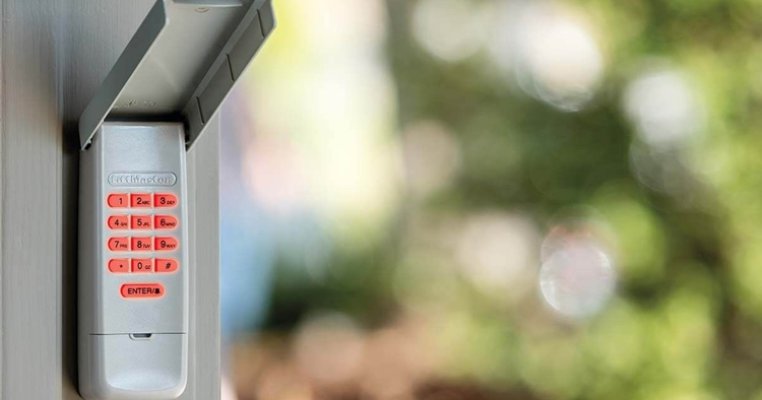
Troubleshooting Steps for Keypad Error Codes
When you encounter a code or flashing light, follow these steps to resolve the issue:
- Check the Battery: Remove the keypad cover and replace the battery. Even if the keypad lights up, a weak battery can cause communication errors.
- Inspect for Physical Damage: Look for cracks, water damage, or stuck buttons. Clean the keypad with a dry cloth to remove dirt or debris.
- Reprogram the Keypad: Refer to your keypad’s manual for programming instructions. Most keypads require you to press a “learn” button on the opener and enter a new code.
- Check the Range: If the keypad is too far from the opener or there is interference (metal objects, thick walls), try moving closer or removing obstacles.
- Reset the System: Disconnect the opener from power for 30 seconds, then reconnect. This can clear temporary glitches.
If these steps don’t resolve the problem, the keypad or opener receiver may need replacement. Always consult your manufacturer’s support resources or a professional if you’re unsure.
When to Replace Your Garage Door Keypad
Sometimes, persistent error codes or repeated malfunctions indicate that your keypad is nearing the end of its lifespan. Signs that it’s time for a replacement include:
- Frequent loss of programming or connection to the opener
- Physical damage that affects button function
- Unresponsive keypad even after battery replacement and reprogramming
- Corrosion or water damage inside the unit
Upgrading to a new keypad can restore reliable access to your garage and may add features like backlit buttons or wireless connectivity.

Preventing Future Keypad Issues
Regular maintenance can help prevent many keypad problems. Here are a few tips:
- Change the battery at least once a year, or when you notice reduced range or responsiveness.
- Keep the keypad clean and dry. Wipe it down regularly to prevent dirt buildup.
- Inspect for signs of weather damage, especially if the keypad is exposed to rain or direct sunlight.
- Test your keypad monthly to ensure it’s working properly and reprogram if needed.
If your keypad issue is related to sensor problems, you may also want to check out guides like why is my garage door sensor light blinking twice for more troubleshooting help.
FAQ About Garage Keypad Error Codes
Why does my garage keypad stop working after a battery change?
Sometimes, replacing the battery can reset the keypad’s memory, requiring you to reprogram it. Always follow the manufacturer’s instructions for reprogramming after a battery swap.
What should I do if my keypad flashes multiple times but doesn’t open the door?
Multiple flashes usually indicate a programming or communication issue. Try reprogramming the keypad and ensure there’s no interference between the keypad and the opener. If the problem persists, inspect for stuck buttons or wiring issues.
Can weather affect my garage door keypad?
Yes, extreme temperatures, moisture, and direct sunlight can impact the performance and lifespan of your keypad. Use a weatherproof cover if your keypad is exposed to the elements.
How do I know if the issue is with the keypad or the opener?
If your remote controls work but the keypad doesn’t, the issue is likely with the keypad. If neither works, the problem may be with the opener or its power source.
Conclusion
Decoding garage door keypad error codes doesn’t have to be complicated. By understanding what the signals mean and following a logical troubleshooting process, you can often resolve issues on your own. Regular maintenance and timely replacement of worn-out components will keep your garage access secure and convenient. For more advanced sensor troubleshooting, consider resources like how to fix garage door sensor wiring using electrical tape or why is my garage door sensor transmitter dead for additional support.