Garage door sensors are essential for safety, preventing the door from closing when something is in its path. When the LED indicator on your sensor stops working or behaves abnormally, it can leave your garage door inoperable or unsafe. Understanding how to fix garage door sensor LED not working is important for homeowners who want to quickly restore proper function and avoid unnecessary service calls.
This guide covers the most common causes of sensor LED issues, step-by-step troubleshooting, and solutions you can try yourself. You’ll also find tips for maintenance, when to consider replacement, and answers to frequently asked questions. For those dealing with related problems, such as why is my garage door sensor indicator light missing, you may find additional insights in our related articles.
Understanding Garage Door Sensor LED Indicators
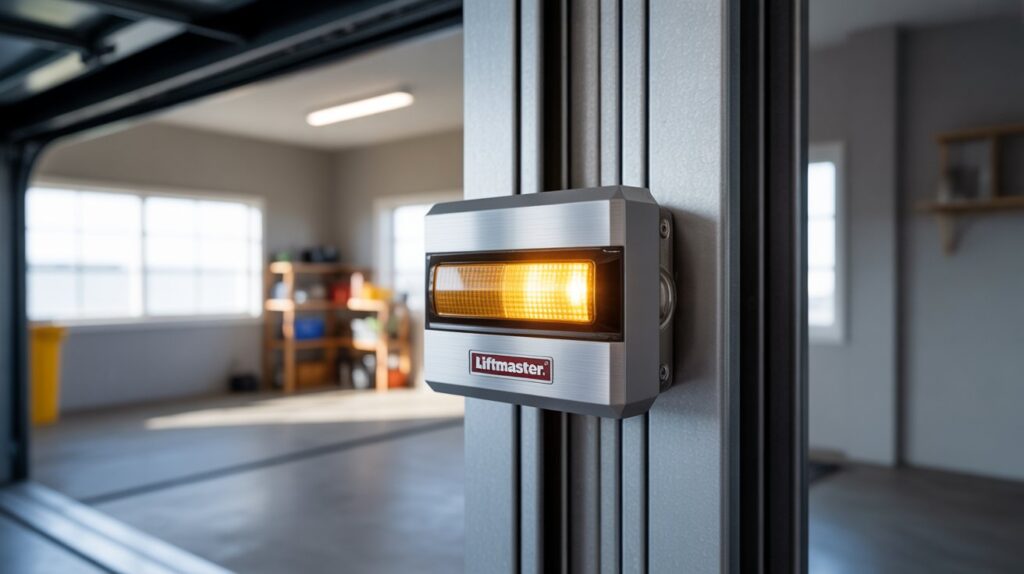
Most garage door safety sensors use a pair of photoelectric eyes, one on each side of the door. Each sensor typically has an LED light that signals its status:
- Solid LED: Sensor is powered and aligned.
- Blinking LED: Misalignment or obstruction detected.
- No LED: Power issue, wiring problem, or sensor failure.
When the LED does not light up or behaves unexpectedly, the door opener may refuse to close, or the door may reverse unexpectedly. Addressing LED issues quickly helps maintain safety and convenience.
Common Causes of Sensor LED Malfunctions
Several factors can cause the sensor LED to malfunction. Here are the most frequent culprits:
- Dirty or obstructed lenses can block the infrared beam, causing the LED to blink or turn off.
- Misalignment between the sensors may result in a blinking or unlit LED.
- Loose or damaged wiring can interrupt power to the sensor, making the LED go dark.
- Faulty sensors or internal component failure can prevent the LED from working at all.
- Environmental factors like direct sunlight, vibration, or temperature changes may affect sensor performance.
Before replacing any parts, it’s important to systematically check each of these possibilities.
Step-by-Step Troubleshooting for Sensor LED Problems
Follow these steps to diagnose and resolve issues with your garage door sensor LED:
1. Inspect and Clean the Sensor Lenses
Dirt, spider webs, or debris on the sensor lens can block the beam and affect the LED. Use a soft, dry cloth to gently clean both sensor lenses. Avoid using harsh chemicals or water, as moisture can damage the electronics.
2. Check Sensor Alignment
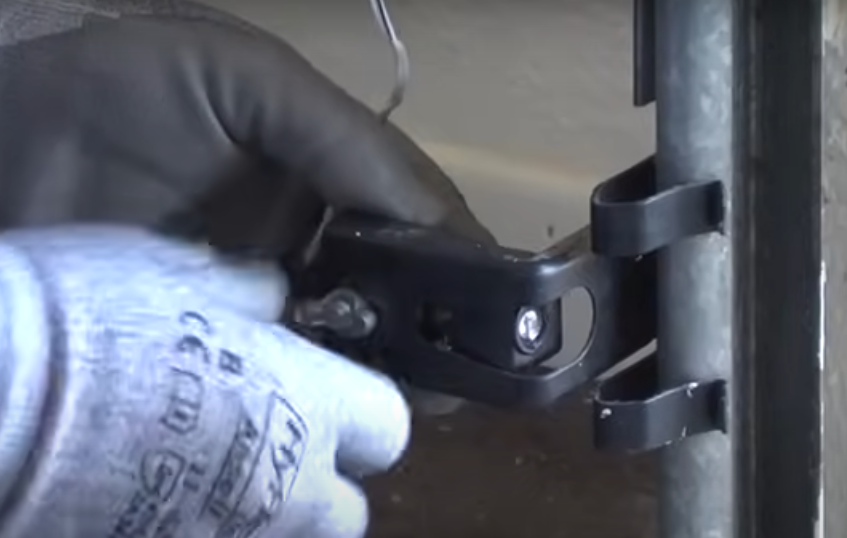
Misaligned sensors are a leading cause of LED issues. Both sensors should face each other directly, with their lenses parallel. Adjust the brackets gently until the LED turns solid. If your mounting surface is unstable, see our tips on how to fix garage door sensor mounting on metal studs for secure installation advice.
3. Examine Wiring Connections
Loose, frayed, or disconnected wires can cause the LED to go out. Check the wires at the sensor and the opener terminal. Ensure all connections are tight and free of corrosion. If you notice damaged wires, they may need to be repaired or replaced.
4. Test for Power Supply Issues
If both sensor LEDs are off, the opener may not be supplying power. Test the outlet and circuit breaker. If only one LED is out, swap the sensors’ positions. If the problem follows the sensor, it’s likely a sensor issue. If it stays with the wiring, focus on the cable or terminal block.
5. Remove Obstructions and Address Environmental Factors
Objects, sunlight, or reflective surfaces can interfere with the sensor beam. Remove any items near the sensors and shade them from direct sunlight if possible. For issues caused by temperature changes, see our guide on how to fix garage door sensor from shifting due to temperature.
When to Replace Your Garage Door Sensor
If you’ve cleaned, realigned, and checked the wiring but the LED remains off or blinks erratically, the sensor may be faulty. Sensors can fail due to age, moisture, or internal component damage. Replacement is usually straightforward and affordable. Always use sensors compatible with your opener model.
For persistent bracket or mounting issues, see our advice on how to fix garage door sensor bracket bending to ensure your new sensor stays aligned.
Preventive Maintenance for Garage Door Sensors
Regular maintenance can prevent most sensor LED problems:
- Wipe sensor lenses monthly to remove dust and cobwebs.
- Check sensor alignment after storms, vibrations, or accidental bumps.
- Inspect wiring annually for signs of wear or corrosion.
- Test the door’s safety reversal feature to ensure sensors are working.
Proactive care helps avoid unexpected malfunctions and extends the life of your sensors.
Additional Troubleshooting Resources
If your sensor LED is turning off and on intermittently, you may want to read our article on why is my garage door sensor light turning off and on. For a more comprehensive troubleshooting checklist, see this detailed guide to troubleshooting garage door sensor issues.
Frequently Asked Questions
Why does my garage door sensor LED stay off even after cleaning and realigning?
If the LED remains off after cleaning and realignment, check for loose or damaged wiring, power supply issues, or a faulty sensor. Swapping the sensors or testing with a multimeter can help pinpoint the problem.
Can I bypass a faulty garage door sensor?
Bypassing safety sensors is not recommended, as it disables a critical safety feature. It’s safer to repair or replace malfunctioning sensors to ensure your garage door operates securely.
How do I know if my sensor needs replacement?
If the LED does not light up despite proper cleaning, alignment, and wiring, or if the sensor fails the swap test, replacement is likely necessary. Choose a compatible replacement for your opener model.
What causes the sensor LED to blink continuously?
Continuous blinking usually means the sensors are misaligned or something is obstructing the beam. Realign the sensors and clear any obstructions to resolve the issue.
How often should I maintain my garage door sensors?
Inspect and clean your sensors monthly, and check alignment after any impact or vibration. Annual wiring inspections are also recommended for long-term reliability.