Garage door sensors are essential for safety and convenience, but a blinking sensor light when the door moves can be frustrating and confusing. This issue often signals a problem with alignment, wiring, or obstructions, and can prevent your garage door from operating smoothly. Understanding how to fix garage door sensor that blinks when door moves can save you time, money, and ensure your garage remains secure.
In this guide, we’ll walk through the most common causes of this sensor issue, step-by-step troubleshooting methods, and practical solutions. Whether you’re a homeowner tackling this for the first time or someone with some DIY experience, these tips will help you restore your garage door’s reliability.
If you’re experiencing other sensor-related issues, such as a missing indicator light, you may find additional help in our article on why is my garage door sensor indicator light missing.
Understanding Why Garage Door Sensors Blink During Operation
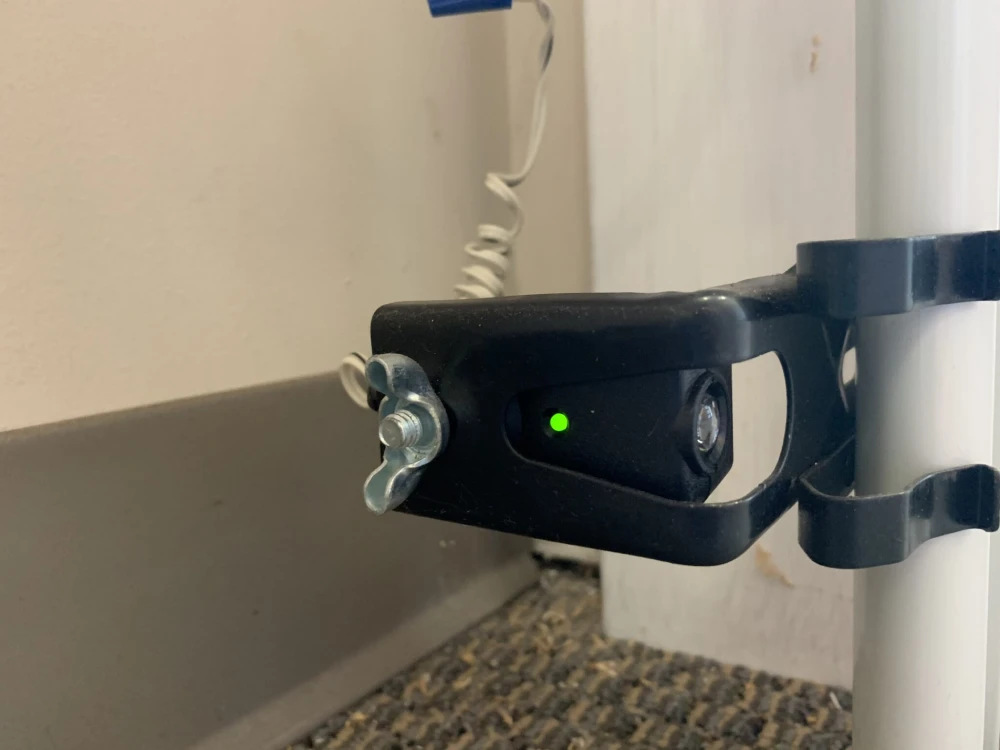
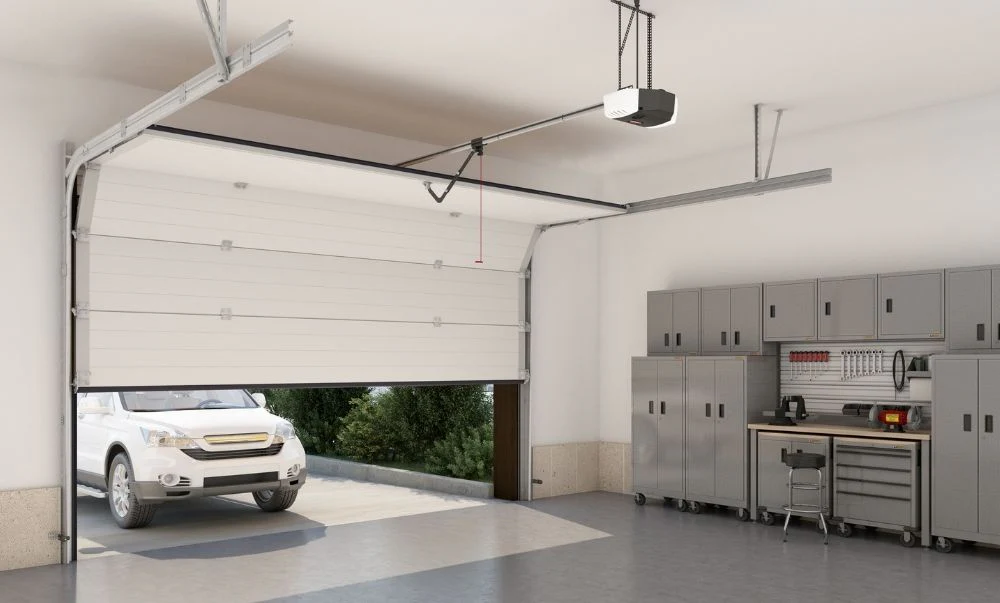
When your garage door sensor blinks as the door moves, it’s typically a sign that the safety system has detected a problem. Most modern garage doors use photo-eye sensors located near the bottom of the door tracks. These sensors send an invisible beam across the opening. If the beam is interrupted or the sensors are misaligned, the system will prevent the door from closing and may cause the indicator light to blink.
Common reasons for a blinking sensor light include:
- Misalignment of the photo-eye sensors
- Obstructions blocking the sensor beam
- Dirty sensor lenses reducing beam clarity
- Loose or damaged wiring connections
- Faulty sensor units or brackets
Step-by-Step Troubleshooting for Blinking Garage Door Sensors
Before replacing any parts, it’s important to systematically check each potential cause. Here’s how to approach the problem:
1. Inspect for Obstructions and Clean the Sensors
Start by checking for any objects, debris, or spider webs that might be blocking the sensor beam. Even a small obstruction can cause the system to malfunction. Use a soft cloth to gently clean the sensor lenses. Dirt or smudges can interfere with the beam and trigger the blinking light.
2. Check Sensor Alignment
Misaligned sensors are a leading cause of blinking lights. Both sensors should face each other directly, with their lenses parallel. If one or both sensors are bumped or shifted, the beam may not connect properly.
- Loosen the mounting brackets and gently adjust the sensors until both indicator lights are steady (not blinking).
- Use a level if necessary to ensure they are at the same height and angle.
- Tighten the brackets once alignment is restored.
If you’re dealing with mounting challenges, such as attaching sensors to metal studs, see our guide on how to fix garage door sensor mounting on metal studs for specialized tips.
3. Examine Wiring and Connections
Loose wires or corroded connections can disrupt the sensor’s function. Carefully inspect the wires leading to each sensor. Look for:
- Frayed or broken wires
- Loose terminal screws
- Signs of corrosion or water damage
If you find any issues, turn off power to the opener before tightening connections or replacing damaged wires. Reconnect everything securely and restore power to test the sensors.
4. Test for Sensor Bracket Damage
Bent or damaged brackets can prevent proper alignment. If you notice that the sensor brackets are twisted or loose, straighten or replace them as needed. For more details on this repair, refer to our article on how to fix garage door sensor bracket bending.
5. Resetting the Sensors
Sometimes, a simple reset can resolve persistent blinking. Unplug the garage door opener for about 30 seconds, then plug it back in. This can clear minor electronic glitches. For a detailed walkthrough, check out this step-by-step guide to resetting garage door sensors.
Advanced Troubleshooting and When to Replace Sensors
If you’ve tried all the above steps and the sensor light still blinks when the door moves, it may be time to consider more advanced troubleshooting or replacement. Over time, sensors can fail due to age, water exposure, or repeated physical impacts. Signs that replacement may be necessary include:
- Persistent blinking even after cleaning and realignment
- No indicator light at all, even with power
- Visible cracks or damage to the sensor housing
When replacing sensors, ensure you purchase compatible models for your garage door opener. Newer sensors often come with improved weather resistance and easier alignment features. If you notice your sensor lights turning off and on intermittently, our article on why is my garage door sensor light turning off and on covers additional troubleshooting tips.
Preventing Future Sensor Issues
Once your sensors are working properly, a few simple habits can help prevent future problems:
- Regularly clean the sensor lenses to remove dust and debris
- Check alignment after any accidental bumps or impacts
- Inspect wiring for wear, especially in garages with high humidity or temperature swings
- Protect sensors from water exposure and direct sunlight
Temperature changes can sometimes cause sensor alignment to shift. If this is a recurring issue for you, see our advice on how to fix garage door sensor from shifting due to temperature.
Frequently Asked Questions
Why does my garage door sensor only blink when the door is moving?
This usually indicates a temporary loss of alignment or a loose connection that’s affected by vibration as the door operates. Check that both sensors are firmly mounted and that all wires are secure.
Can I bypass a faulty garage door sensor?
While some openers allow for temporary bypassing, it’s not recommended for safety reasons. The sensors are designed to prevent accidents and injuries. Always repair or replace malfunctioning sensors instead of bypassing them.
How do I know if my garage door sensor needs to be replaced?
If cleaning, realignment, and rewiring don’t resolve the blinking light, and the indicator remains off or erratic, the sensor may be faulty. Visible damage or water intrusion are also signs that replacement is necessary.
What tools do I need to fix a blinking garage door sensor?
Most fixes require only a screwdriver, a soft cloth for cleaning, and possibly a level for alignment. For wiring repairs, wire strippers and electrical tape may be needed.
How often should I check my garage door sensors?
It’s a good idea to inspect and clean your sensors every few months, or after any incident that could have knocked them out of alignment.
Addressing a blinking garage door sensor promptly helps keep your garage secure and your family safe. With these troubleshooting steps, you can resolve most sensor issues without calling a professional, saving both time and money.