If you’ve noticed a blue blinking light on your garage door sensor, you’re not alone. Many homeowners encounter this issue, and it can be both confusing and frustrating—especially when your garage door refuses to operate as expected. Understanding what a flashing blue indicator means and how to address it is essential for restoring your garage door’s safety and functionality.
This guide will explain the most common causes behind a blinking blue sensor, outline practical troubleshooting steps, and help you determine when professional help may be needed. We’ll also share tips for ongoing maintenance to prevent future sensor problems. If you’re dealing with related issues, such as why is my garage door sensor indicator light missing, you’ll find helpful resources linked throughout this article.
Understanding the Blue Blinking Light on Garage Door Sensors
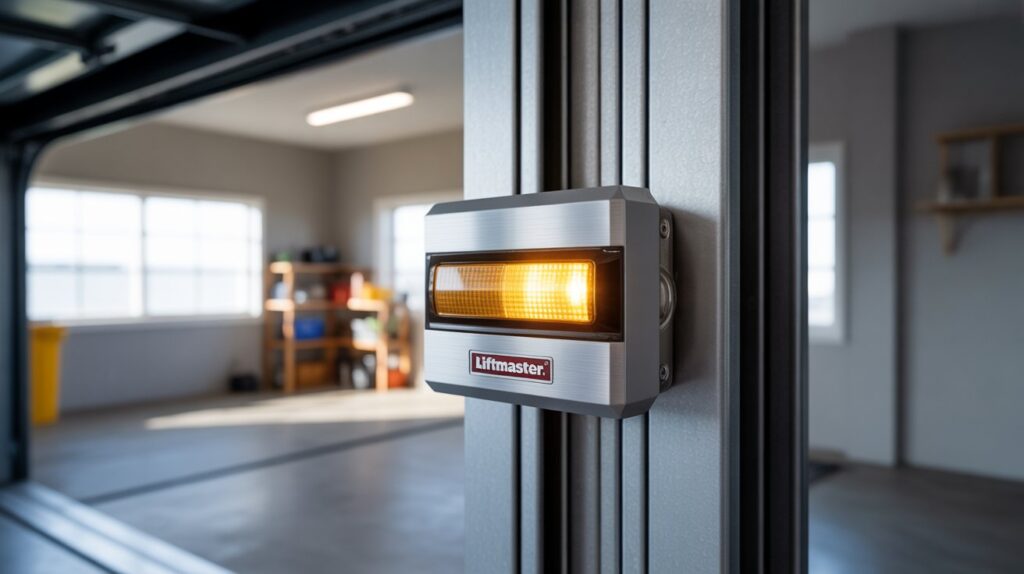
Garage door sensors are a critical safety feature, designed to prevent the door from closing on people, pets, or objects. Most modern systems use a pair of photo-eye sensors, typically mounted near the base of the door tracks. These sensors communicate using an invisible infrared beam. When the beam is interrupted or the sensors are misaligned, the door will not close, and an indicator light—often blue—may start blinking.
The meaning of a blue blinking light can vary slightly depending on the manufacturer, but it generally signals one of the following:
- Sensor misalignment
- Obstruction in the sensor’s path
- Wiring or power issues
- Dirty or damaged sensor lenses
Before diving into solutions, it’s helpful to consult your garage door opener’s manual for specific indicator light codes. However, the troubleshooting steps below apply to most major brands.
Common Reasons for a Blinking Blue Garage Door Sensor
Let’s look at the most frequent causes behind a flashing blue sensor light and how to address each one:
1. Sensor Misalignment
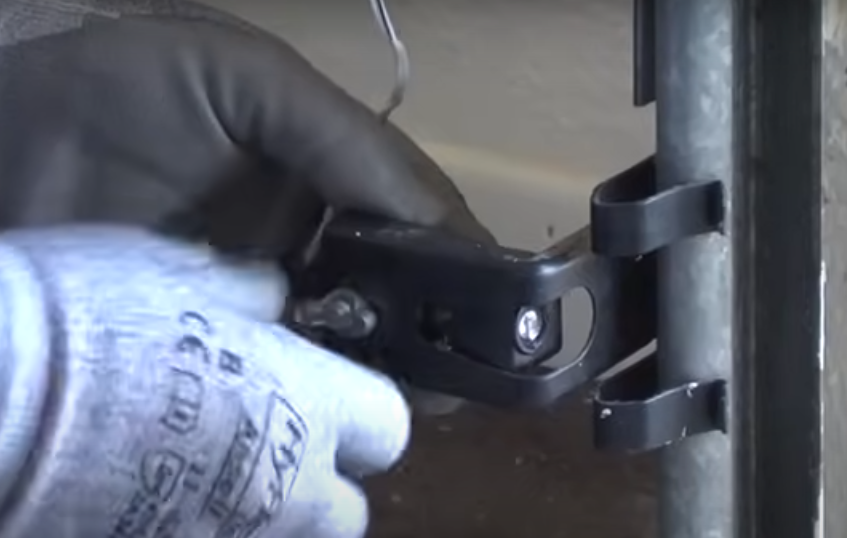
One of the most common reasons for a blinking blue light is that the sensors are not properly aligned. If the photo-eyes are even slightly out of position, the system can’t detect a clear path and will prevent the door from closing.
- Check that both sensors are facing each other directly.
- Adjust the brackets or gently move the sensors until the light becomes steady.
- If you’re mounting sensors on metal studs, you may want to review how to fix garage door sensor mounting on metal studs for additional guidance.
2. Obstructions Blocking the Sensor Beam
Even a small object or buildup of debris can interrupt the infrared beam between the sensors. Common culprits include leaves, cobwebs, dust, or stored items near the base of the garage door tracks.
- Inspect the area between the sensors for any visible obstructions.
- Clear away any debris, and ensure nothing is blocking the path.
3. Dirty or Foggy Sensor Lenses
Over time, dirt, moisture, or condensation can accumulate on the sensor lenses, causing the system to misread the beam’s status.
- Gently clean the sensor lenses with a soft, dry cloth.
- Avoid using harsh chemicals or abrasive materials that could scratch the lens.
4. Wiring and Power Supply Issues
If the sensors are properly aligned and clean, but the blue light continues to blink, there may be a problem with the wiring or power supply:
- Check for loose, frayed, or disconnected wires at the sensor and opener terminals.
- Ensure the opener is plugged in and receiving power.
- If you notice any damaged wiring, it’s best to contact a professional for repairs.
5. Sensor Bracket Damage or Shifting
Physical damage to the sensor brackets or shifting due to temperature changes can also cause misalignment. If you suspect this is the case, see our detailed advice on how to fix garage door sensor bracket bending or how to fix garage door sensor from shifting due to temperature.
Step-by-Step Troubleshooting for a Blinking Blue Sensor
Follow these steps to diagnose and resolve the issue:
- Inspect for Obstructions: Remove any objects or debris between the sensors.
- Clean the Lenses: Wipe both sensor lenses gently with a soft cloth.
- Check Alignment: Adjust the sensors until the blue light becomes steady. Use a level if needed.
- Examine Wiring: Look for loose or damaged wires and secure any connections.
- Test the Door: Try closing the door. If the light remains steady and the door operates, the issue is resolved.
- Reset the Opener: Unplug the opener for 30 seconds, then plug it back in to reset the system.
If these steps don’t resolve the problem, consult your opener’s manual or contact a garage door technician for further assistance.
Preventing Future Sensor Problems
Regular maintenance can help you avoid sensor issues in the future. Here are some tips:
- Keep the area around the sensors clean and free of debris.
- Check sensor alignment periodically, especially after accidental bumps or extreme weather.
- Inspect wiring for signs of wear or damage.
- Test your garage door safety features monthly to ensure everything is working correctly.
For more in-depth troubleshooting advice, see this comprehensive guide to troubleshooting garage door sensor issues.
When to Call a Professional
If you’ve tried all the above steps and the blue light continues to blink, or if you notice damaged components or persistent wiring problems, it’s time to call a qualified garage door technician. Attempting complex repairs without proper training can lead to further damage or safety risks.
Professionals have the tools and experience to diagnose electrical issues, replace faulty sensors, and ensure your garage door system is safe and reliable.
Frequently Asked Questions
What does a blinking blue light on my garage door sensor mean?
A blinking blue light typically indicates that the sensors are misaligned, blocked, dirty, or experiencing a wiring or power issue. The exact meaning can vary by manufacturer, but it generally signals a disruption in the sensor’s ability to communicate with the opener.
Can I fix a flashing blue sensor myself?
In many cases, yes. Start by checking for obstructions, cleaning the lenses, and realigning the sensors. If the problem persists after these steps, inspect the wiring. For complex electrical issues or damaged parts, it’s best to contact a professional.
What should I do if the blue light is still blinking after troubleshooting?
If the blue light continues to flash after you’ve checked alignment, cleaned the lenses, and verified wiring, consult your opener’s manual or contact a garage door technician. Persistent issues may indicate a faulty sensor or a deeper electrical problem that requires expert attention.
Why does my sensor light turn off and on repeatedly?
This could be due to intermittent wiring connections, loose brackets, or environmental factors causing the sensors to shift. For more details, refer to our resource on why is my garage door sensor light turning off and on.
By understanding the causes behind a blinking blue garage door sensor and following these troubleshooting steps, you can restore your garage door’s safety features and ensure smooth operation for years to come.