A reliable garage door keypad is essential for convenient and secure access to your garage. One of the most common concerns among homeowners is how long the batteries in these keypads typically last, and what factors can influence their lifespan. Understanding the expected duration, signs of low power, and best practices for replacement can help you avoid unexpected lockouts and keep your entry system working smoothly.
In this article, you’ll find practical advice on maximizing the longevity of your keypad batteries, troubleshooting issues, and knowing when it’s time for a change. If you’re also dealing with related garage door sensor issues, you may find this guide on how to fix garage door sensor mounting on metal studs helpful.

Typical Lifespan of Garage Door Keypad Batteries
Most wireless garage door keypads are powered by standard batteries, such as 9V or AA cells. On average, you can expect a fresh battery to last anywhere from one to two years under normal usage. However, several factors can influence this estimate:
- Frequency of Use: The more often you use the keypad, the faster the battery will drain.
- Battery Type and Quality: High-quality alkaline batteries generally last longer than cheaper alternatives.
- Weather Conditions: Extreme cold or heat can reduce battery efficiency and shorten its life.
- Keypad Model: Some newer models are designed for better energy efficiency, further extending battery life.
For most households, replacing the battery once a year is a safe routine. If your keypad is exposed to harsh weather or sees heavy use, you might need to check it more frequently.
Recognizing Signs of a Weak Keypad Battery
Knowing when your keypad battery is running low can help you avoid being locked out or having to deal with a malfunctioning entry system. Here are some common indicators that it’s time to replace the battery:
- Dim or Flickering Backlight: Many keypads have a backlight that dims when power is low.
- Delayed Response: If the door takes longer than usual to open after entering your code, the battery may be weak.
- Unresponsive Buttons: Intermittent or non-functioning buttons are often a sign of low power.
- Warning Indicators: Some models have a dedicated low-battery light or beep.
If you notice any of these symptoms, it’s wise to replace the battery promptly to restore full functionality.

How to Replace Batteries in Your Entry Keypad
Swapping out the battery in your garage entry keypad is usually a quick and straightforward process. Follow these steps for most models:
- Locate the battery compartment—typically found on the back or bottom of the keypad.
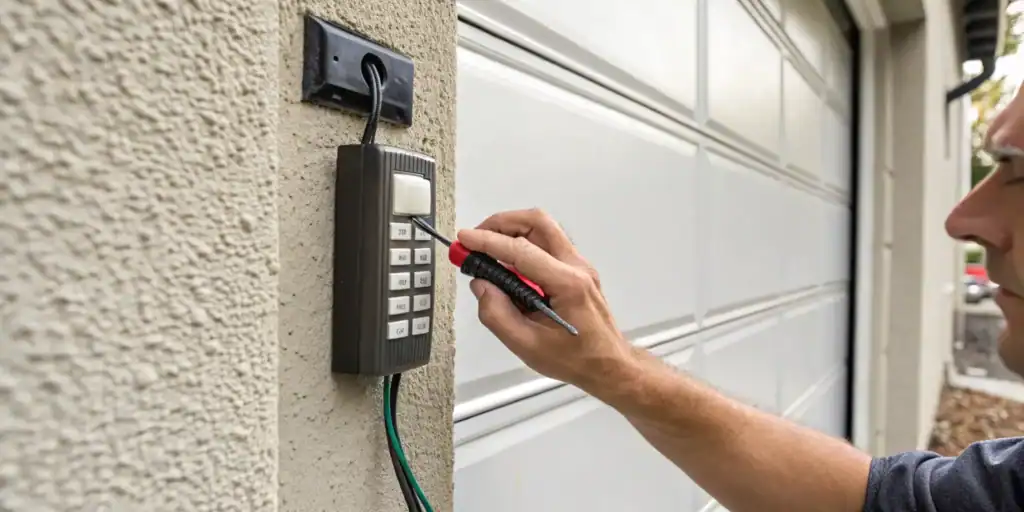
- Open the compartment using a screwdriver or by sliding the cover off.
- Remove the old battery and dispose of it properly.
- Insert a new, high-quality battery, ensuring correct polarity.
- Close the compartment and test the keypad by entering your code.
Always consult your manufacturer’s manual for model-specific instructions. If you encounter issues after battery replacement, you may want to check for other problems, such as wiring or sensor malfunctions. For example, if your garage door sensor is not working, see this article on how to fix garage door sensor wiring using electrical tape.
Maximizing the Battery Life of Your Garage Keypad
While battery drain is inevitable, there are several ways to help your keypad batteries last as long as possible:
- Choose Quality Batteries: Invest in reputable brands for longer-lasting power.
- Limit Unnecessary Use: Only use the keypad when needed to reduce the number of activations.
- Protect from Weather: If possible, install the keypad in a sheltered location to avoid temperature extremes.
- Regular Maintenance: Clean the keypad and battery contacts periodically to ensure good electrical connection.
- Monitor Performance: Pay attention to changes in responsiveness or lighting to catch battery issues early.
These habits not only extend battery life but also help maintain the overall reliability of your access system.
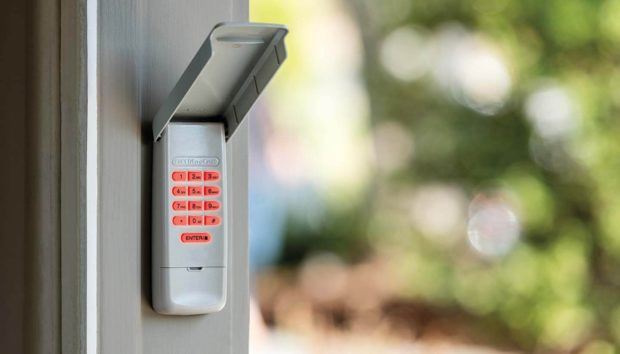
Troubleshooting Common Battery-Related Keypad Issues
If your keypad stops working even after a fresh battery is installed, there may be other underlying issues. Here are a few troubleshooting tips:
- Check for corrosion or debris on the battery contacts and clean if necessary.
- Ensure the battery is installed with the correct polarity.
- Inspect the keypad for visible damage or signs of water intrusion.
- Test the keypad after resetting or reprogramming it, as some models require this after battery replacement.
- Examine the wiring and connections if your keypad is hardwired or integrated with other systems.
For more detailed troubleshooting steps, you can refer to this comprehensive guide to fixing a non-working garage door keypad.
If you suspect the issue is related to your sensors, you might also want to review this resource on why is my garage door sensor transmitter dead.
Frequently Asked Questions
How often should I replace the batteries in my garage entry keypad?
Most users find that replacing the battery once every 12 to 24 months is sufficient. However, if your keypad is exposed to extreme temperatures or sees frequent use, check the battery more often and replace it as soon as you notice any performance issues.
What type of battery does my keypad use?
The most common types are 9V and AA batteries, but it’s important to check your keypad’s manual or look inside the battery compartment for the correct type. Using the recommended battery ensures optimal performance and longevity.
Can I use rechargeable batteries in my garage keypad?
While some keypads may work with rechargeable batteries, most manufacturers recommend standard alkaline batteries for consistent voltage and reliability. Rechargeable batteries can have lower voltage and may not last as long between charges.
What should I do if my keypad still doesn’t work after changing the battery?
Double-check the battery installation, clean the contacts, and ensure the keypad is properly programmed. If problems persist, consult your user manual or contact a professional for further diagnosis. You can also explore solutions for related issues, such as why is my garage door sensor light blinking twice.
Conclusion
Being proactive about your garage keypad’s battery ensures reliable access and prevents inconvenient surprises. By understanding the typical lifespan, recognizing early warning signs, and following simple maintenance tips, you can extend the life of your keypad and keep your garage secure. Regular checks and timely replacements are the keys to uninterrupted performance.