Garage door sensors are a critical safety feature, preventing accidents and ensuring the smooth operation of your garage door system. When these sensors malfunction, your door may refuse to close, reverse unexpectedly, or display blinking lights. If you own a Genie opener, knowing how to troubleshoot Genie garage door sensors can save you time, money, and frustration.
This guide covers the most common sensor issues, step-by-step diagnostic methods, and practical solutions. Whether you’re a DIY enthusiast or just want to understand your system better, you’ll find actionable advice here. For those dealing with wiring concerns, you might also find this resource on how to replace garage door sensor wiring helpful as you work through sensor troubleshooting.
Understanding Genie Garage Door Sensor Basics
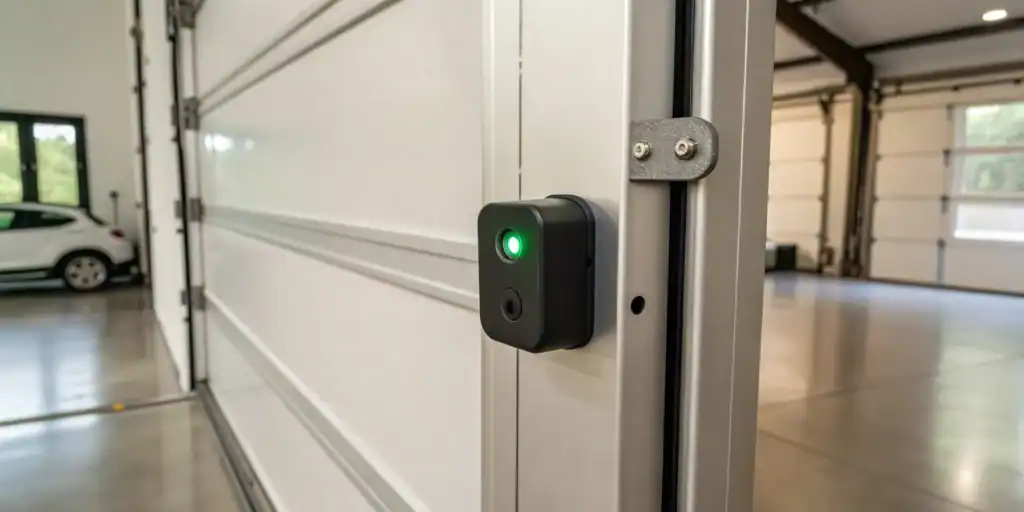
Genie garage door systems use a pair of photoelectric sensors, typically mounted near the base of the door tracks. These sensors create an invisible beam across the opening. If anything interrupts the beam while the door is closing, the system stops or reverses the door to prevent injury or damage.
- Sender sensor: Emits an infrared beam.
- Receiver sensor: Detects the beam on the opposite side.
- Indicator lights: Show sensor status (solid, blinking, or off).
If your Genie system isn’t working as expected, the sensors are often the first place to check.
Common Signs of Sensor Problems
Recognizing the symptoms of a sensor issue is the first step in resolving it. Here are some typical signs that your Genie sensors may need attention:
- The garage door won’t close unless you hold the wall button.
- Sensor indicator lights are off or blinking.
- The door reverses immediately after touching the floor.
- Obvious obstructions or dirt on the sensor lenses.
For more on specific symptoms, such as when your door only closes by holding the button, see this article on why does my garage door only close when I hold the button.
Step-by-Step Guide: Diagnosing Genie Sensor Issues
Let’s walk through a systematic approach to troubleshooting Genie garage door sensors:
-
Check for Obstructions
Ensure nothing is blocking the path between the sensors. Even small objects, spider webs, or debris can break the beam. -
Clean the Sensor Lenses
Dust, dirt, or moisture on the lenses can interfere with operation. Gently wipe each lens with a soft, dry cloth. -
Inspect the Sensor Alignment
Both sensors must face each other directly. If bumped or knocked, they may become misaligned. Adjust them until the indicator lights are steady (not blinking). -
Check the Wiring
Look for loose, frayed, or disconnected wires at the sensors and opener terminals. If you suspect wiring issues, see this guide on how to rewire garage door sensors. -
Test the Sensor Lights
Most Genie sensors have LED indicators. A solid light typically means proper function, while blinking or no light suggests a problem. -
Reset the Opener
Unplug the opener for 30 seconds, then plug it back in. Sometimes, a simple reset resolves minor glitches.
Understanding Sensor Light Indicators
The LED lights on Genie sensors provide valuable clues. Here’s what different light patterns usually mean:
| Light Pattern | Possible Meaning | Action |
|---|---|---|
| Solid green or red | Sensors aligned and functioning | No action needed |
| Blinking | Misalignment or obstruction | Realign and clear path |
| Off | No power or wiring issue | Check connections and power |
For a detailed explanation of sensor light colors and what they indicate, visit this guide to garage door sensor light meanings.
Advanced Troubleshooting: When Basic Fixes Don’t Work
If you’ve checked alignment, cleaned the lenses, and verified wiring but still have issues, try these advanced steps:
- Swap the Sensors: Switch the sensors’ positions to determine if one is faulty. If the problem follows the sensor, replacement may be necessary.
- Test with a Multimeter: Check for voltage at the sensor terminals. No voltage could indicate a problem with the opener’s control board.
- Inspect for Water Damage: Moisture inside the sensor housing can cause intermittent failures. Replace any sensors showing signs of corrosion.
If you notice flickering lights on your sensors, you might want to consult this resource on how to fix garage door sensor flickering for targeted solutions.

Preventing Future Sensor Issues
Regular maintenance can help avoid many common sensor problems. Here are some tips to keep your Genie system running smoothly:
- Clean sensor lenses monthly with a soft cloth.
- Check alignment after any accidental bumps or impacts.
- Inspect wiring for signs of wear or rodent damage.
- Keep the area around the sensors free from clutter and debris.
If your sensors are frequently blocked, you may benefit from this article on what to do if garage door sensor is blocked.
When to Replace Your Genie Garage Door Sensors
Sometimes, sensors reach the end of their lifespan or suffer irreparable damage. Consider replacement if:
- Indicator lights remain off despite power and wiring checks.
- Physical damage is visible on the sensor housing or lens.
- Repeated troubleshooting fails to restore normal operation.
Replacement sensors are widely available and often easy to install. Always ensure compatibility with your Genie opener model.
Frequently Asked Questions
Why does my Genie garage door only close when I hold the wall button?
This usually means the safety sensors are not detecting each other properly. Check for obstructions, misalignment, or wiring issues. The system requires a clear signal from the sensors to allow automatic closing.
What does a blinking sensor light mean on my Genie system?
A blinking light typically indicates misalignment or an obstruction in the sensor’s path. Adjust the sensors so the lights become steady, and clear away any debris between them.
Can I bypass Genie garage door sensors?
Bypassing sensors is not recommended, as it disables a key safety feature. If you must temporarily override them for testing, always restore proper function before regular use to prevent accidents.
How often should I clean or check my garage door sensors?
It’s best to inspect and clean the sensors at least once a month, or more frequently if your garage is dusty or exposed to the elements.
Conclusion
Mastering how to troubleshoot Genie garage door sensors empowers you to resolve most common issues without a service call. By following the steps outlined above—checking for obstructions, cleaning lenses, verifying alignment and wiring, and understanding sensor light indicators—you can restore safe, reliable operation to your garage door system. For persistent problems, consult a professional or consider sensor replacement to maintain optimal safety and performance.