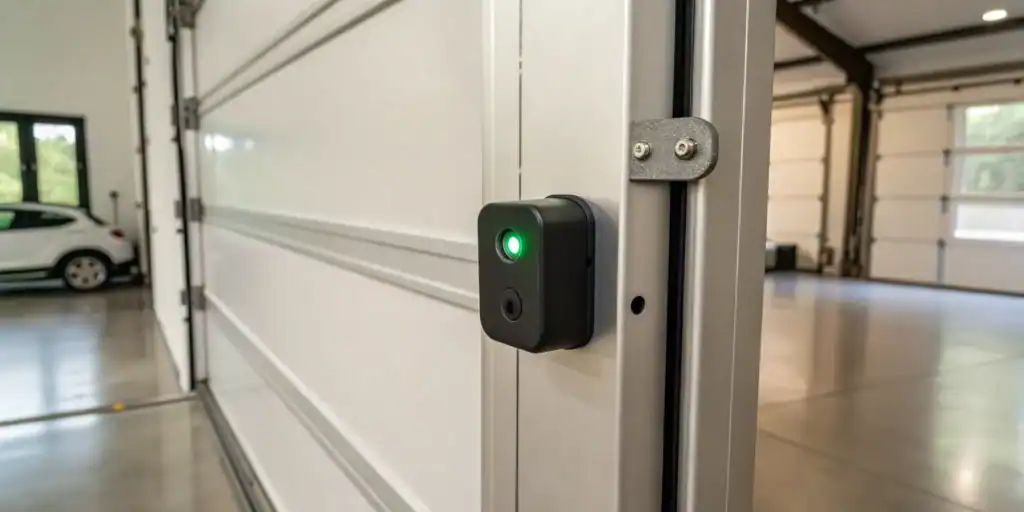
Garage door sensors are essential for the safe and reliable operation of your Wayne Dalton system. When these sensors malfunction, your garage door may refuse to close, reverse unexpectedly, or flash error lights. Knowing how to troubleshoot Wayne Dalton garage door sensors quickly can help you restore normal function and avoid unnecessary service calls.
This guide walks you through the most common sensor issues, step-by-step diagnostics, and practical solutions. Whether you’re dealing with blinking lights, misalignment, or wiring concerns, you’ll find actionable advice to get your garage door working again. If you’re interested in related fixes, such as how to fix garage door sensor mounting on metal studs, you’ll find additional resources linked throughout this article.
Understanding Wayne Dalton Garage Door Sensor Basics
Before diving into troubleshooting, it’s helpful to understand how these safety sensors work. Wayne Dalton garage door sensors are typically installed on either side of the door, just above the ground. They use an infrared beam to detect obstructions. If the beam is interrupted or the sensors are misaligned, the door will not close for safety reasons.
Most systems have two small units: a sender (emitter) and a receiver. The sender emits the infrared beam, while the receiver detects it. If anything breaks the beam or the sensors lose alignment, the system responds by stopping or reversing the door.
Common Signs of Sensor Problems
Knowing the symptoms of sensor issues helps you pinpoint the problem faster. Here are some of the most frequent signs:
- The garage door won’t close and reverses immediately.
- Indicator lights on the sensors are off, blinking, or different colors.
- The door only closes when you hold down the wall button.
- Visible dirt, debris, or misalignment of the sensor lenses.
For more details on sensor light signals, check out this guide to garage door sensor light colors and responses.
Step-by-Step Guide: Diagnosing Sensor Issues
Follow these steps to identify and resolve problems with your Wayne Dalton garage door sensors:
1. Inspect Sensor Alignment
Misalignment is a leading cause of sensor failure. Both sensors must face each other directly, with their lenses parallel and at the same height. Gently adjust the brackets or mounts until the indicator lights on both sensors are steady and not blinking.
2. Clean the Sensor Lenses
Dirt, spider webs, or condensation can block the infrared beam. Use a soft, dry cloth to wipe the lenses on both sensors. Avoid using harsh chemicals that could scratch or cloud the plastic.
3. Check for Obstructions
Even small objects like leaves or toys can interrupt the beam. Make sure nothing is blocking the path between the sensors. Remove any debris and ensure the area is clear.
4. Examine Sensor Wiring
Loose, frayed, or damaged wires can disrupt sensor function. Inspect the wiring from each sensor to the opener unit. If you notice any issues, you may want to reference how to fix garage door sensor wiring using electrical tape for safe repair tips.
5. Test the Sensor Lights
Most Wayne Dalton sensors have indicator lights. A solid light usually means the sensor is working, while a blinking or off light signals a problem. Refer to your opener’s manual for specific light codes, or consult the external resource above for color meanings.
6. Bypass the Sensors (For Testing Only)
If you need to close the door temporarily, hold down the wall-mounted button. This overrides the sensors, but should only be used for troubleshooting, not as a permanent solution.

Advanced Troubleshooting for Persistent Problems
If the basic steps above don’t resolve your issue, consider these advanced checks:
- Power Supply: Ensure the opener and sensors are receiving power. Check for tripped breakers or blown fuses.
- Sensor Bracket Damage: Bent or broken brackets can prevent proper alignment. Replace any damaged hardware.
- Interference: Strong sunlight, fluorescent lights, or reflective surfaces may interfere with the infrared beam. Try shading the sensors or moving reflective objects.
- Sensor Failure: If one or both sensor lights remain off after all checks, the sensor may be faulty and require replacement.
For issues like humming or buzzing noises from your sensors, see how to fix garage door sensor hum or buzz for targeted solutions.
When to Seek Professional Help
While many sensor problems can be resolved with the steps above, some situations call for expert assistance. Contact a professional if:
- You suspect internal wiring or circuit board issues.
- The sensors have visible water damage or corrosion.
- Repeated troubleshooting fails to restore normal function.
Professional technicians have the tools and experience to diagnose complex electrical faults and ensure your garage door system remains safe and reliable.
Preventive Maintenance Tips
Regular maintenance can help you avoid sensor issues in the future. Here’s what you can do:
- Clean the sensor lenses monthly.
- Check alignment and adjust as needed.
- Inspect wiring for wear or damage.
- Test the door’s safety reversal feature periodically.
Staying proactive with these simple checks can extend the life of your sensors and minimize unexpected malfunctions.
Related Troubleshooting Resources
If you encounter other garage door sensor issues, you might find these guides useful:
These resources offer targeted advice for specific error codes and sensor behaviors.
Frequently Asked Questions
What does a blinking sensor light mean on my Wayne Dalton garage door?
A blinking light usually indicates a misalignment, obstruction, or wiring issue. Start by cleaning the lenses, checking for obstructions, and realigning the sensors. If the problem persists, inspect the wiring or consult your opener’s manual for specific error codes.
How do I reset my Wayne Dalton garage door sensors?
There is no dedicated reset button for most Wayne Dalton sensors. To reset, unplug the opener for 30 seconds, then plug it back in. Realign the sensors and ensure the indicator lights are steady. If the issue remains, further troubleshooting may be needed.
Can I bypass the sensors to close the garage door?
You can temporarily override the sensors by holding down the wall-mounted control button until the door closes. This should only be used for testing or emergencies, as bypassing the sensors disables the safety feature.
Why does my garage door only close when I hold the wall button?
This typically means the sensors are not detecting each other properly due to misalignment, dirt, or wiring problems. Follow the troubleshooting steps above to restore normal operation.
How often should I clean and check my garage door sensors?
It’s best to clean the lenses and check alignment at least once a month, or more frequently if your garage is dusty or exposed to outdoor debris.