Experiencing a sudden decrease in your garage door remote’s range can be frustrating and inconvenient. Many homeowners notice that their remote, which once worked from the end of the driveway, now only functions when standing directly in front of the garage. Understanding why garage door remote range drops is essential for restoring reliable access and avoiding unnecessary repairs or replacements.
This article explores the most common causes behind reduced remote range, practical troubleshooting steps, and proven solutions to help you regain full control of your garage door opener. Whether you’re dealing with interference, aging batteries, or mechanical issues, you’ll find actionable advice to address the problem efficiently.
Before diving into the technical details, it’s worth noting that sometimes garage door issues stem from sensor problems or mounting complications. If you suspect your sensors are involved, you may find it helpful to review how to fix garage door sensor mounting on metal studs for additional troubleshooting tips.
Common Reasons Your Garage Door Remote Range Is Reduced
Several factors can contribute to a noticeable drop in remote range. Some are simple to fix, while others may require more in-depth attention. Here are the most frequent causes:
- Weak or depleted batteries in the remote
- Radio frequency interference from nearby electronics or wireless devices
- Obstructions between the remote and the garage door opener
- Damaged or misaligned antenna on the opener unit
- Worn-out remote control or faulty internal components
- Weather conditions affecting signal transmission
- Physical changes in the garage or surrounding area, such as new metal structures or insulation
Identifying the root cause is the first step toward a lasting solution. In many cases, a quick inspection can reveal the culprit behind the diminished range.
How Interference and Environment Affect Remote Performance
One of the most overlooked reasons for a drop in remote range is radio frequency (RF) interference. Modern homes are filled with wireless devices—Wi-Fi routers, cordless phones, security systems, and even LED lighting—that can disrupt the signal between your remote and the opener.
Common sources of interference include:
- Wi-Fi routers operating on the same frequency as your garage door opener
- Nearby radio towers or cell phone repeaters
- Wireless security cameras and baby monitors
- LED or fluorescent lighting fixtures
Physical barriers also play a role. Metal doors, reinforced concrete walls, and even parked vehicles can block or weaken the remote’s signal. If you’ve recently added insulation, shelving, or metal storage units in your garage, these could be contributing to the problem.
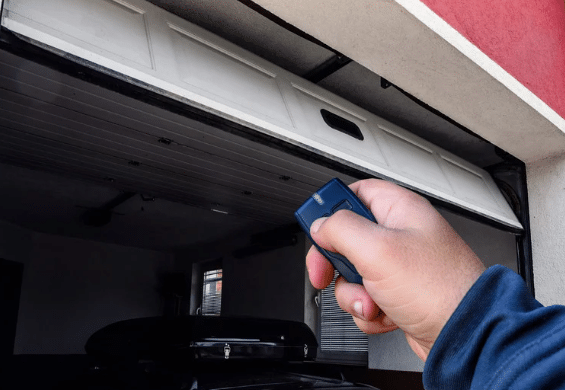
Troubleshooting Steps for Restoring Remote Range
If your remote’s range has suddenly decreased, try these troubleshooting steps before considering a replacement:
- Replace the batteries in your remote, even if the indicator light still works. Weak batteries often reduce signal strength.
- Inspect the opener’s antenna. Make sure it is hanging straight down and is not bent, broken, or obstructed by cobwebs or debris.
- Check for new sources of interference. Move or unplug nearby wireless devices temporarily to see if the range improves.
- Test the remote at different locations around your driveway and garage to identify dead zones or obstructions.
- Clean and lubricate moving parts of the garage door system. While this doesn’t directly affect the remote, a smoothly operating door can help the opener respond more reliably.
- Reset the opener by unplugging it for a minute and plugging it back in. This can clear minor electronic glitches.
If these steps don’t resolve the issue, you may need to dig deeper into potential hardware or electronic problems.
When to Replace or Upgrade Your Remote and Opener
Sometimes, the remote or opener itself is at fault. Remotes can wear out over time, and older openers may not be compatible with newer wireless environments. If your device is more than 10 years old or has suffered physical damage, replacement may be the best option.
Modern garage door openers often feature improved range, rolling code security, and smartphone integration. Upgrading to a new system can resolve persistent range issues and add convenience. If you’re considering an upgrade, look for models with extended range and compatibility with your existing door hardware.
For more information on troubleshooting opener issues, you can review expert advice on garage door opener malfunctions from trusted industry sources.
Preventive Maintenance to Avoid Range Problems
Regular maintenance can help prevent many common issues that lead to reduced remote range. Here are a few tips:
- Replace remote batteries at least once a year
- Keep the opener’s antenna clean and unobstructed
- Inspect for new sources of interference when adding electronics or appliances to your home
- Lubricate moving parts of the garage door system to ensure smooth operation
- Check sensor alignment and mounting if you notice erratic door behavior. For more details, see how to fix garage door sensor bracket bending.
Taking these simple steps can extend the life of your remote and opener while minimizing disruptions.
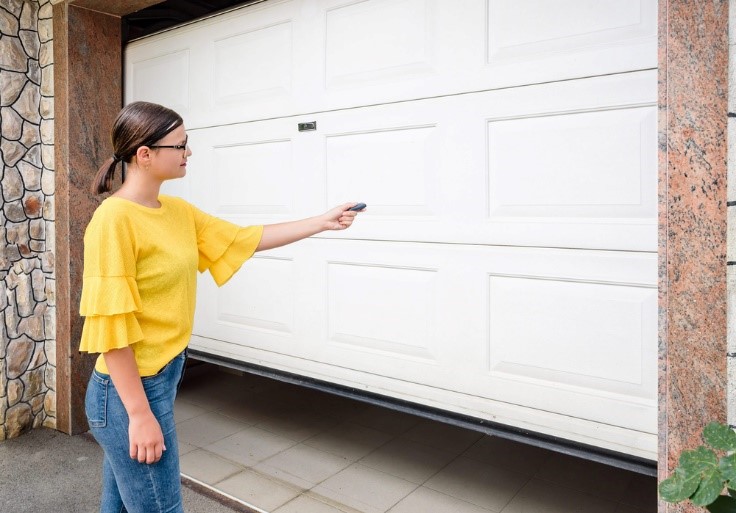
Advanced Solutions for Persistent Range Issues
If basic troubleshooting doesn’t restore your remote’s range, consider these advanced options:
- Install a signal repeater or range extender designed for garage door openers. These devices boost the remote’s signal, especially in large properties or areas with heavy interference.
- Relocate your opener’s antenna or use an external antenna kit to improve signal reception.
- Switch to a different frequency if your opener supports it. Some models allow you to change channels to avoid interference.
- Upgrade to a smart garage door opener that uses Wi-Fi or Bluetooth, reducing reliance on traditional RF remotes.
Persistent problems may indicate a deeper electrical or mechanical issue. In such cases, consulting a professional technician is recommended to avoid further complications.
Related Troubleshooting Resources
For additional guidance on garage door sensor issues and related topics, you may find these resources helpful:
- why is my garage door sensor indicator light missing
- why is my garage door sensor light turning off and on
- how to fix garage door sensor from shifting due to temperature
Frequently Asked Questions
What should I do if my garage door remote only works up close?
Start by replacing the remote’s batteries and checking the opener’s antenna for obstructions or damage. Remove any new electronic devices or metal objects near the opener that could cause interference. If these steps don’t help, consider resetting the opener or consulting a professional.
Can LED lights really interfere with my garage door remote?
Yes, certain LED bulbs emit radio frequencies that can disrupt the signal between your remote and the opener. If you recently switched to LED lighting in your garage, try replacing them with bulbs specifically labeled as garage door opener compatible.
Is it possible to extend the range of my existing remote?
In many cases, yes. Installing a range extender, repositioning the opener’s antenna, or upgrading to a newer remote can help. If your opener is outdated, upgrading to a modern system with enhanced range and security features may be the best solution.